Neat Download Manager Android: Is There an APK? 5 Safe Options
No verified official Neat Download Manager Android app or APK was available from the developer's published sources when checked on July 29, 2026. The official product page lists Windows and macOS, while the Firefox extension explicitly requires the desktop app and is not Android-compatible.
That distinction matters because an Android package using the words Neat Download Manager is not automatically the same product. This guide shows the evidence, explains how to avoid lookalike APKs, and gives five practical ways to manage downloads on Android without inventing an official mobile release.
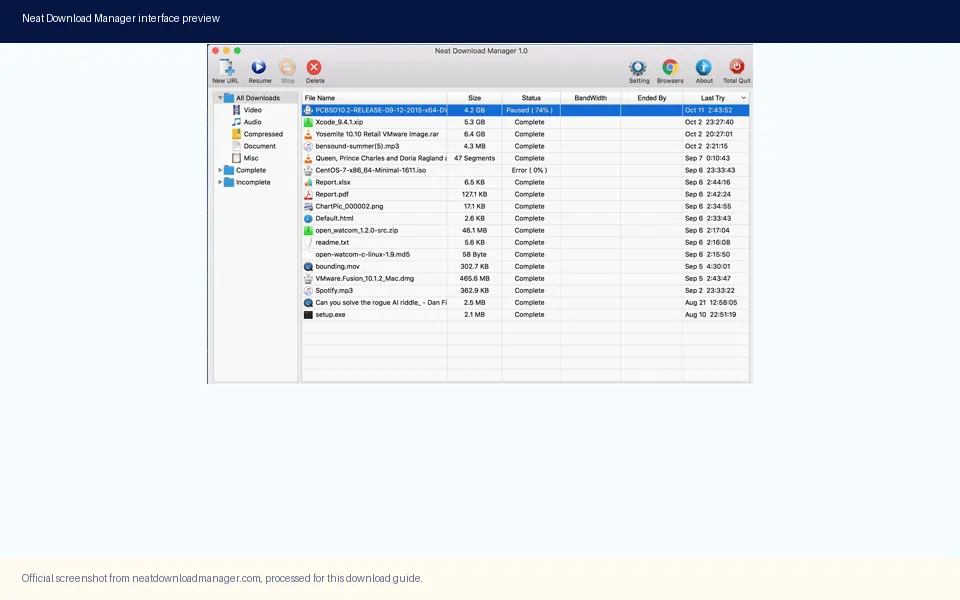
The verified Neat Download Manager product is a desktop application. This processed official screenshot shows the interface users should recognize on Windows or macOS, not an Android app.
Is Neat Download Manager Available for Android?
The short answer is no: there is no Android release that can be verified through the Neat Download Manager developer's published product page or the linked browser-extension metadata. The official site describes Neat Download Manager for Windows and macOS, provides an EXE and a DMG, and does not publish an Android APK, Google Play package name, or Android installation guide.
This answer is deliberately narrower than saying that no file with a similar name exists anywhere. Third-party APK sites can publish names that resemble established desktop software. A matching name, icon, screenshot, or description does not prove that the original developer created or signed the package. Until the developer links an Android release from a first-party page or a verified store account, treat an alleged NDM Android APK as unverified.
The absence of an official Android package also means there is no honest direct-download button for this page. The safest next step depends on what you actually need: ordinary file downloads, offline media offered by a service, large transfer queues, desktop acceleration, or remote control of a computer.
What the Official Sources Actually Confirm
Two first-party or authoritative distribution sources establish the platform boundary. The official Neat Download Manager site lists macOS 10.10 or higher and Windows 7 or higher, with version 1.3 for the DMG and version 1.4 for the Windows setup file. The Firefox Add-ons listing says the extension integrates the desktop application, works with Mac and Windows, and records its Android compatibility flag as false.
Neither source offers an Android package. This is stronger evidence than a third-party download page because it comes from the product owner and the browser store that distributes the companion extension. It also explains why installing the Firefox extension on a phone would not create a full download manager: the extension is designed to hand links to a desktop application.
Source
What it confirms
Android result
Official product site
Windows 1.4 EXE and macOS 1.3 DMG
No APK or Android instructions
Firefox Add-ons
Desktop companion extension for Mac and Windows
Marked not Android-compatible
Current site download checks
Both official desktop file URLs return HTTP 200
No verified Android file URL
Why an Unofficial NDM APK Is a Risky Shortcut
Android allows apps to be installed from package files outside the primary store, but that flexibility removes some of the context users rely on. A file name can be copied. An icon can be imitated. Screenshots can come from the Windows application even when the APK contains unrelated code. Without a developer-linked package name, signing identity, release notes, and stable source page, you cannot reliably connect the file to Neat Download Manager.
Download-manager apps can request broad access because they handle URLs, storage, notifications, and background transfers. Those permissions may be reasonable for a legitimate app, but they also increase the cost of installing a package from an unknown publisher. The risk is not limited to malware: an abandoned or misleading app can expose private download URLs, fail on modern Android storage rules, inject advertising, or stop receiving security updates.
Do not use a malware-scan badge on an APK directory as proof of official ownership. A scan can describe one uploaded file at one moment; it does not establish who built the app, whether later updates use the same code, or whether the listing is affiliated with the desktop developer.
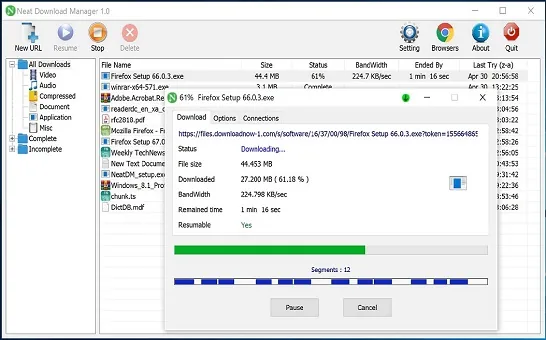
A verified NDM transfer appears inside the desktop application. A mobile page that copies this desktop screenshot does not prove it distributes an official Android package.
Five Safer Options for Android Downloads
Choose an option by task rather than searching for a name match. Most Android users do not need a desktop-style accelerator for every download, and the safest workflow is usually the one already supported by the browser, source service, or computer you control.
Use the browser's built-in download manager for normal HTTP or HTTPS files. It keeps the download associated with the browser, uses Android's storage and notification model, and avoids adding a third-party package for a simple task.
Use the source service's official offline or save feature for streaming media, maps, podcasts, documents, and subscription content. This preserves licensing, account access, subtitles, encryption, and expiration rules that an external manager may not support.
Choose an Android download manager only from a verified store publisher. Review the developer name, package history, recent updates, data-safety disclosure, permissions, and independent reviews. Search by capability, not by an unofficial NDM brand claim.
Send the URL to your Windows or Mac computer and use the real Neat Download Manager there. Clipboard sync, a private note, or a link-sharing feature can move the URL; the desktop app still performs the download on the computer, not the phone.
Use a remote-download workflow on a device you own, such as a home computer or NAS with authenticated remote access. This is useful for large archives but requires secure accounts, updates, and storage controls. Do not expose an unauthenticated download service to the internet.
Desktop NDM vs an Android Download Workflow
Neat Download Manager's familiar features are built around a desktop process: a browser extension hands off a compatible link, the app divides supported files into connections, and the user manages the queue, destination, bandwidth, pause, and resume controls. Android can perform many of the same jobs, but the operating system, storage model, battery limits, and app permissions are different.
The table helps separate a real requirement from a brand search. If you only need to save a PDF or ZIP on a phone, the browser may be enough. If you need NDM's desktop interface and segmented transfer controls, use the Windows or Mac application instead of looking for an unverified APK.
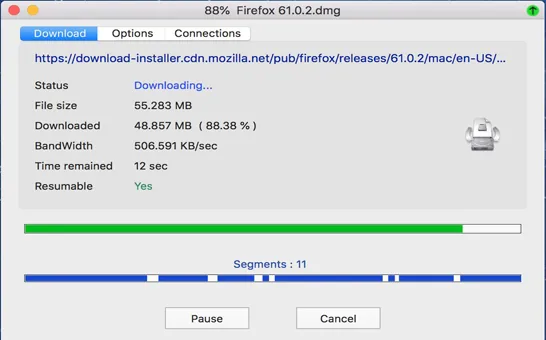
Segmented transfer activity is a desktop NDM feature. Android alternatives may use different connection, battery, storage, and background-task rules.
Need
Verified NDM route
Safer Android route
Normal file
Desktop app or browser handoff
Browser download manager
Service-provided offline media
Not the primary NDM use case
Official service app
Large desktop queue
Windows or macOS NDM
Send link to your computer
Background phone transfer
No verified Android NDM
Verified Android app with suitable permissions
Protected or encrypted media
May be unsupported
Use the source service's allowed offline feature
If You Already Installed an APK Claiming to Be NDM
Do not panic, but stop treating the app as verified. First compare the package's store or source page with the official Neat Download Manager site. Look for a developer-linked Android announcement, an exact package identifier, a privacy policy owned by the same developer, and release notes that match a first-party channel. If those links do not exist, remove sensitive permissions and avoid opening private or authenticated download URLs in the app.
Android's exact menus vary by device, but the practical review is consistent: check the app's permissions, data usage, battery activity, installed source, notification behavior, and device-administrator or accessibility access. Uninstall it if the publisher cannot be verified or the requested access exceeds its stated purpose. Then review downloaded files and account sessions if you entered credentials or pasted private links.
A factory reset is not the automatic first step for every questionable app. If the device shows persistent pop-ups, unknown administrators, accessibility abuse, unexpected account activity, or an app that cannot be removed normally, use the device manufacturer's support guidance or a qualified technician.
Revoke storage, notification, accessibility, VPN, and install-unknown-apps permissions that are not needed.
Remove the package if its developer identity and source cannot be tied to the official product.
Delete installers that came from redirects, file lockers, or pages that impersonate the official site.
Change credentials only when you entered them into the questionable app or see account-risk evidence.
Keep Google Play Protect and Android security updates enabled; do not rely on a third-party badge alone.
How to Verify a Future Official Android Release
A future mobile release is possible, but it should be verified through a chain of evidence rather than a search-result title. Start with the official Neat Download Manager domain. A credible Android launch should link to a stable store listing or first-party download page, identify the package name and developer, publish platform-specific requirements, and provide release notes or support documentation.
Next, compare the store developer identity and privacy-policy domain with the first-party site. Check whether the app has a coherent version history instead of a single new listing that borrows desktop screenshots. A legitimate page should explain Android-specific storage, background-download, battery, and permission behavior; copying the Windows feature list is not enough.
Finally, return to the official page rather than trusting an APK mirror's 'latest version' label. Mirrors can lag behind, misidentify another product, or wrap downloads in redirects. This site will only add an Android download CTA when a first-party source provides a verifiable destination.
Open the official Neat Download Manager site and look for an Android announcement or platform link.
Follow the first-party link to the store or release page; do not search for a guessed package name.
Match the developer identity, package name, privacy-policy domain, version history, and support contact.
Confirm Android-specific requirements and release notes before installing.
Prefer the stable first-party or store destination over a temporary, signed, or mirror download URL.
Version Freshness Check for This Download Site
This site was treated as a software-download guide before this page was created. On July 29, 2026, the official Windows URL returned HTTP 200 for NeatDM_setup.exe, 917,340 bytes, with product version 1.4. The official macOS URL returned HTTP 200 for NeatDMInstaller.dmg, 1,468,544 bytes, while the official page labels it version 1.3. Both are stable first-party file URLs already used by the site's Windows and Mac download CTAs.
No newer desktop version was found in the checked sources, so existing version numbers, file sizes, compatibility copy, metadata, and desktop CTA destinations did not need to change. No verified Android file or store page was found. Accordingly, this Android guide provides evidence and safe next steps rather than an APK button, a guessed URL, or a claim that an unofficial package is safe.
Bottom Line
Do not download a Neat Download Manager Android APK merely because the name resembles the desktop application. As of the documented check, the verifiable NDM release remains for Windows and macOS, and the companion Firefox extension is not Android-compatible. For a phone, use the browser, the source service's official offline feature, a verified Android manager, or a secure handoff to your own computer.
This page has a separate keyword boundary from the existing PC, Mac, extension, how-to, and alternatives pages. It answers one narrow question: whether an official NDM Android release exists and what a user should do when it does not.
Android FAQ
Neat Download Manager Android FAQ
Is there an official Neat Download Manager APK?
No official Android APK could be verified from the developer's published site or companion-extension sources on July 29, 2026. The verified downloads are for Windows and macOS.
Can I install Neat Download Manager on an Android phone?
Not through a verified official Android release. Do not install a lookalike package solely because it uses the same name or desktop screenshots.
Why do some websites list an NDM Android download?
Third-party directories can reuse product names, group unrelated apps, or publish unverified packages. A listing is not proof of developer ownership without a first-party link and matching package identity.
What is the safest Neat Download Manager alternative for Android?
For ordinary files, start with the browser's built-in manager. For offline media, use the source service's official feature. If you need a separate manager, choose one from a verified store publisher after reviewing permissions and update history.
Can I send an Android download to NDM on my PC or Mac?
You can send or sync the URL to a computer you control and open it in the real desktop NDM application. The download then runs on that computer, not on Android.
How will I know if an Android version becomes official?
Look for a link from the official Neat Download Manager domain to a stable store or release page, then match the developer, package name, privacy policy, requirements, and version history.