Motrix Chrome Extension: Does It Exist? 5 Checks Before You Install
The short answer is that no official Motrix Chrome extension was verified in the project website, agalwood/Motrix repository, release assets, or source tree checked on August 4, 2026. Motrix is a desktop download manager, so a third-party page using the words Motrix and Chrome is not automatically an official browser integration.
This guide separates a real Chrome extension, Motrix's embedded browser component, and a manual browser-to-desktop URL workflow. It records the official release source, explains what each signal proves, and gives you a repeatable way to check a listing without trusting a renamed installer or CRX file.
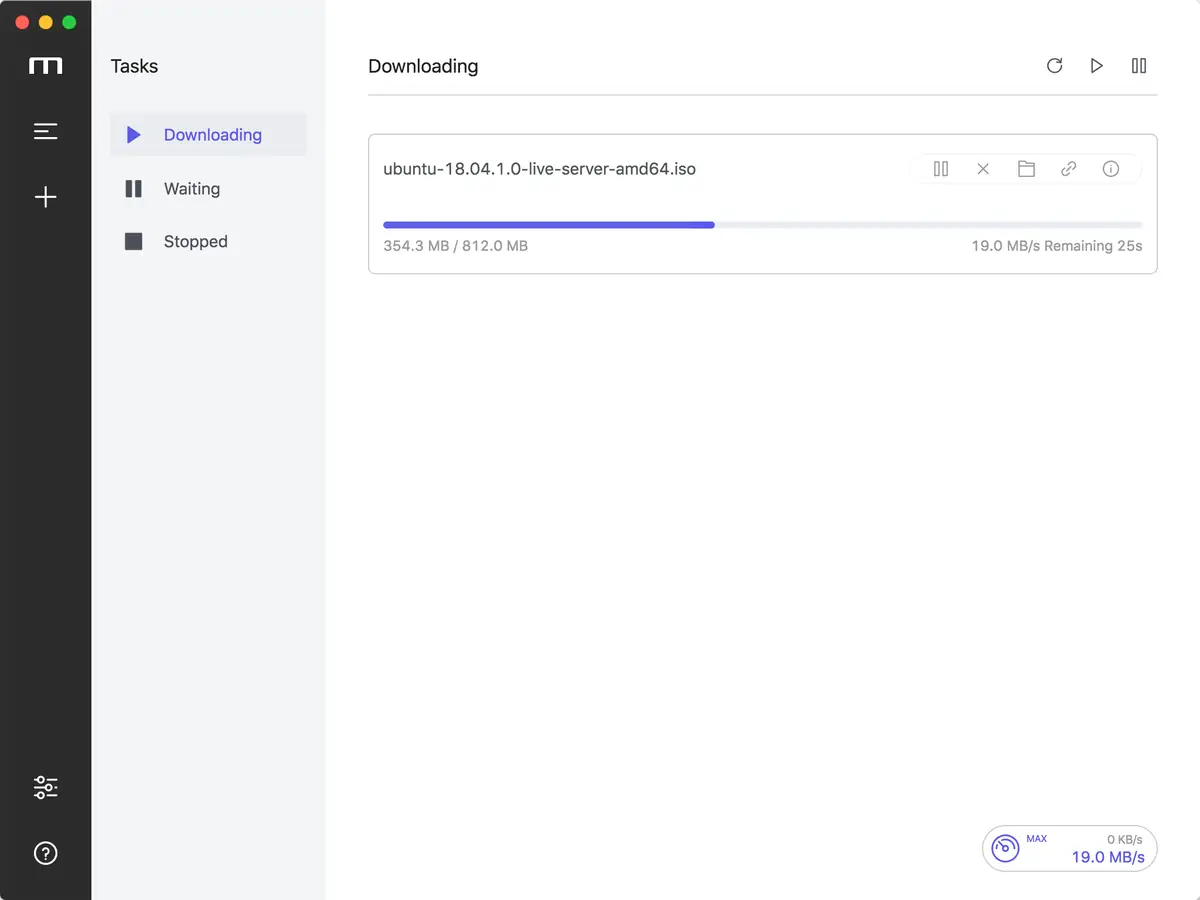
Official Motrix repository screenshot converted to WebP. It documents the desktop application, not a Chrome extension or a current release claim.
No direct extension download is provided. Use the official Motrix project and release pages for source verification.
Quick Answer: Does Motrix Have a Chrome Extension?
Do not treat a search result, browser-store title, or software mirror as proof of an official Motrix Chrome extension. In the official Motrix website, the agalwood/Motrix GitHub repository, its release assets, and its published source tree checked for this guide, no first-party Chrome extension package or official Chrome Web Store listing was verified.
The official project describes Motrix as a desktop download manager for HTTP, FTP, BitTorrent, and Magnet tasks. Its repository contains a Browser component implemented inside the Electron application, but that is different from an extension installed into Chrome. A future release could add browser integration; this page only records what the first-party sources show at the check date. The practical conclusion is simple: do not install a CRX, ZIP, or EXE merely because the filename says Motrix Chrome extension. Start from the official project, confirm the publisher and release trail, and use a manual direct-URL workflow until the maintainers publish supported browser integration.
What the Official Motrix Sources Show
The official website presents Motrix as a desktop download manager and points users toward the GitHub project for downloads and documentation. The repository README directs users to GitHub Releases and lists desktop installation paths for Windows, macOS, and Linux. Those first-party surfaces should anchor any Motrix download decision because they connect the product name to a maintained source and release record.
The source tree provides an important technical clue. The Browser component uses an application-side web view and Electron webContents to display pages within Motrix. Searching the checked tree did not reveal a Chrome extension manifest, a browser-store project linked by the maintainers, or a release asset described as a Chrome extension. A third-party listing can still exist, but its title alone cannot establish provenance. Use a strict boundary when reading search results: a repository, official release asset, or official manual can establish project provenance; an unrelated extension listing only establishes that somebody published a listing. It does not prove that Motrix maintainers produced, signed, reviewed, or support that package.
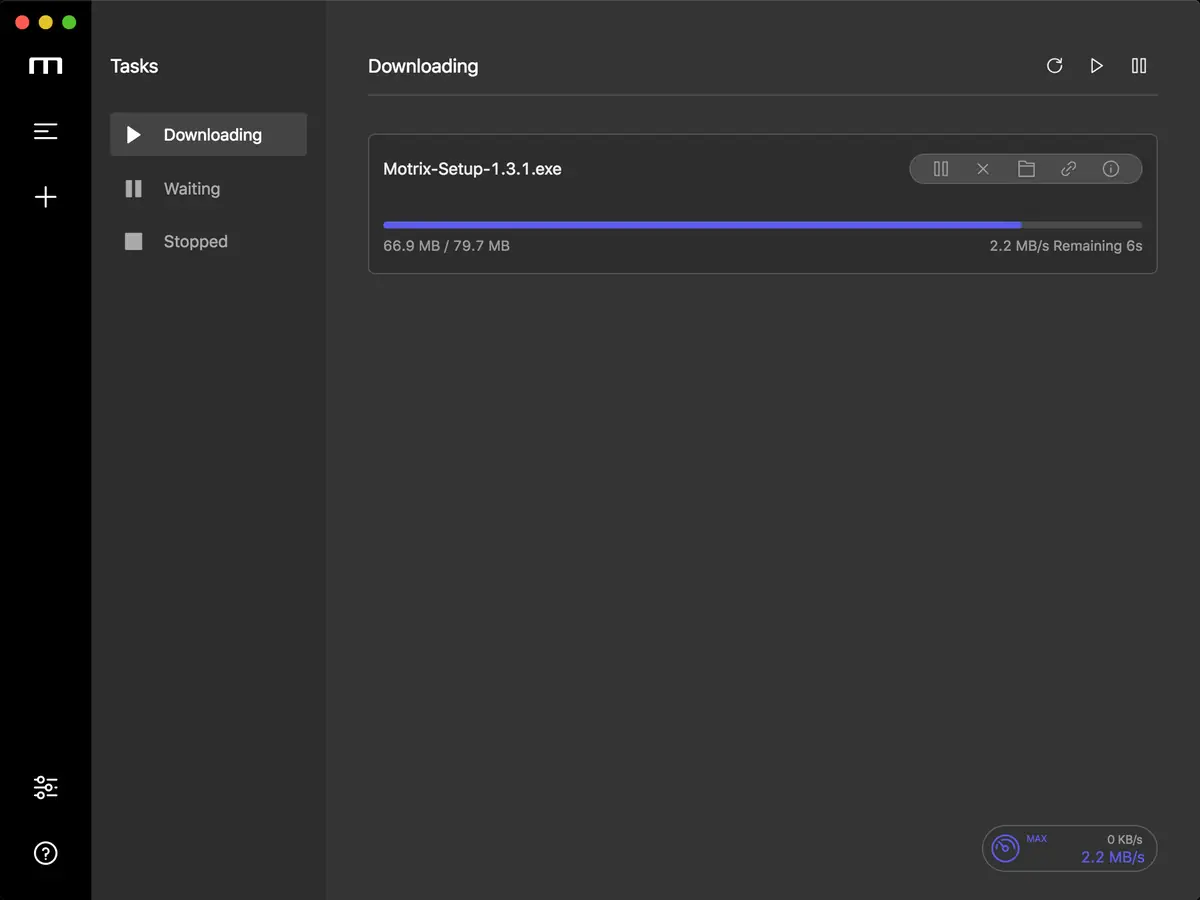
Official Motrix repository interface media. The desktop interface is evidence of the app, not evidence of a Chrome extension.
Chrome Extension vs Motrix In-App Browser
A Chrome extension normally lives in the browser and has a manifest, permissions, a store listing, and a defined handoff mechanism. It may watch downloads, add a context-menu action, or send a URL to a desktop companion. Before installing one, inspect the publisher, requested permissions, update history, and source link instead of relying on the product name in the listing title.
Motrix's official Browser component is a different architecture. It creates a browser-like surface inside the Electron desktop application and opens external links through the app. That can be useful for opening a page from Motrix, but it does not install into Chrome, add a Chrome toolbar button, or prove that Chrome can automatically hand downloads to Motrix. For a browser-to-Motrix workflow, keep responsibility clear: Chrome exposes a compatible URL, you intentionally submit that URL, and Motrix manages the transfer. A protected stream, login-only link, short-lived URL, or page that hides its file behind scripts can still fail even when the desktop app is installed correctly.
5 Checks Before You Install Any Motrix Chrome Extension
If a page promises a Motrix Chrome extension, slow down before installing anything. The goal is to establish publisher identity and technical fit, not merely to find a button that claims to connect Chrome with a download manager. Run the checks in order so an unknown package is not mistaken for a missing feature in the official application. A normal extension should be explainable in plain language: who publishes it, what permissions it needs, how it hands off a link, and where its updates are documented. If the page cannot answer those questions, the safest action is to stop and use the official desktop release with a manual URL test.
Start at motrix.app or the agalwood/Motrix GitHub repository. Do not begin with a mirror, download wrapper, or page that hides the publisher.
Look for a first-party extension manifest, official store link, or release-note entry. If the official project does not link to it, treat the listing as unverified.
Read requested permissions. Download history, browsing activity, tabs, and broad host access should each have a clear reason.
Check publisher identity, repository links, update history, and install instructions. A familiar product name inside an extension title is not enough.
Test the official desktop workflow with a normal direct file before adding browser integration. An extension will not fix a source that does not expose a compatible file URL.
A Safer Browser-to-Motrix Workflow
When you want Chrome and Motrix to work together without a verified extension, use a deliberate URL workflow. Copy a direct file URL from a source you trust, open Motrix's new-task flow, paste the URL, inspect the filename and destination, and start the task only after the source and file type make sense.
Use a small ordinary file for the first test. Confirm that the task appears, the destination is correct, and pause or resume behaves as expected. Then test the exact type of link you care about. A browser page that plays media is not automatically a direct downloadable file, and encrypted or account-bound content may not be transferable to a desktop downloader. Manual handoff is slower than automatic capture, but it makes the failure visible: if the copied URL is empty, temporary, or blocked, the problem is probably the source page; if a stable direct URL works manually but an extension listing claims it should do more, question the listing rather than reinstall Motrix repeatedly.
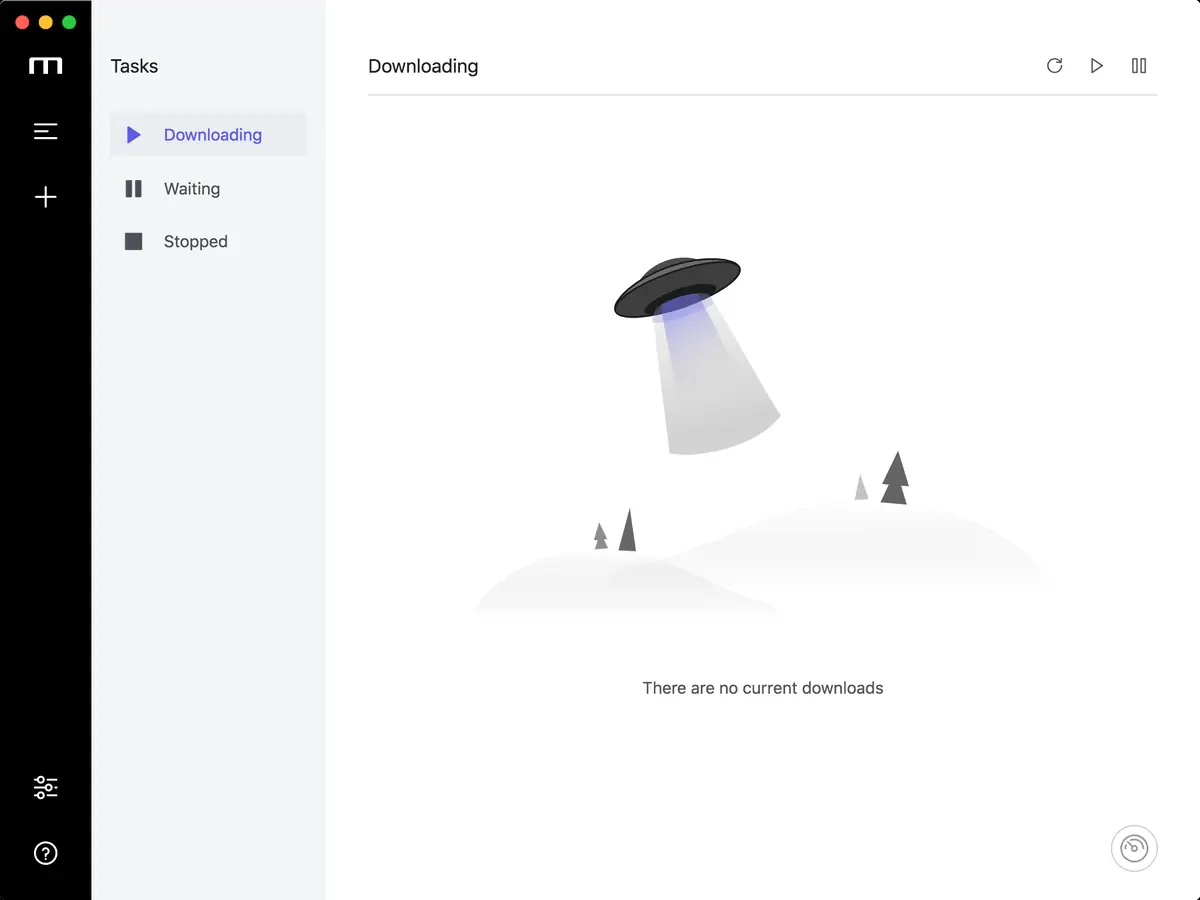
Official Motrix repository screenshot converted to WebP. A clean task list makes the first manual URL test easy to interpret.
How to Read a Third-Party Extension Listing
Similarweb keyword data shows mixed navigational and informational intent around the phrase motrix chrome extension. That explains why an unrelated listing can attract clicks even when the official project does not publish an extension. Search demand measures what people look for; it does not certify the software behind a result.
A useful listing should identify its publisher, link to a maintained project, explain permissions, show a real update history, and state exactly what the extension can do. Be cautious when a page uses the Motrix name but provides a renamed installer, forced download, notification prompt, or no route back to the official repository. Do not download a CRX, ZIP, or EXE from a page that cannot establish provenance. For this topic, the safest editorial answer can be negative: no official extension was verified, so use the official desktop release and manual URL workflow until the maintainers publish supported integration.
Signal
What it proves
What it does not prove
Official Motrix repository link
The page points to a known first-party project.
That every extension using the Motrix name is official.
Chrome Web Store publisher
A store account published the listing.
That Motrix maintainers own or support that account.
Extension permissions
The browser can show the access the extension requests.
That the requested access is necessary or trustworthy.
Download button on a mirror
The mirror hosts a file or redirect.
That the file is current, unmodified, or safe.
Motrix Version and Download Source Check
This site is treated as a software-download guide, so version freshness was checked before writing the page. On August 4, 2026, the official GitHub Releases API returned Motrix v1.8.19 as the latest release, published on May 3, 2023. The release page lists platform files for Windows, macOS, Linux, and several package formats.
The page does not copy a guessed file URL or promise that a third-party extension is safe. For a download, use the official release page so you can choose the correct platform asset and inspect the release metadata. Because release assets vary by platform and architecture, the release page is the stable fallback instead of a single hard-coded installer button. The release date is old relative to this check. That is a fact about the current official endpoint, not a promise that Motrix is actively maintained or that no newer release can appear later. Recheck the official API and release page before installing, especially if a mirror advertises a newer version.
Field
Verified value
Source or note
Latest checked release
v1.8.19
Official GitHub releases/latest endpoint
Published
May 3, 2023
Official release metadata
Platforms listed
Windows, macOS, Linux
Release assets include several package formats
Extension status
No official Chrome extension verified
Official website, repo tree, source component, and release assets checked
Motrix vs Neat Download Manager for Browser Downloads
Motrix and Neat Download Manager are both desktop download managers, but their browser story is not identical. The Motrix check above is about whether an official Chrome extension exists. The Neat Download Manager pages on this site document supported browser-extension paths for Chrome, Firefox, and Edge, along with the requirement that the desktop app be installed and running.
Choose Motrix when you want its desktop workflow, broad task types, and the official release formats listed by the project. Choose NDM when a lightweight Windows or macOS workflow and a documented browser extension path matter more. Neither choice bypasses a protected stream or a source that does not expose a stable file URL. If your real question is which download manager to use, read the site's alternatives comparison; if your question is specifically whether a Motrix Chrome extension is official, keep this page's narrower boundary and verify the publisher before installing.
Decision
Motrix
Neat Download Manager
Desktop role
Desktop download manager with official Windows, macOS, and Linux release assets.
Lightweight desktop download manager with Windows and macOS guides on this site.
Chrome extension evidence
No official Chrome extension verified in the checked first-party sources.
This site documents a Chrome extension setup path that requires the desktop app.
Browser alternative
Copy a compatible URL or use Motrix's embedded browser component.
Use the documented browser extension handoff and test a direct file.
Best first test
Paste a stable direct URL into a clean task list.
Open the app, enable the extension, and test a normal direct file.
Why This Is a Separate Motrix Chrome Extension Page
The existing Neat Download Manager alternatives page answers a broad comparison question: which downloader fits a platform or workflow when NDM is not enough. This page has a narrower keyword boundary. It answers whether the Motrix Chrome extension is official, how the in-app browser differs from a browser extension, and what to do when a third-party listing appears in search.
That distinction prevents two kinds of confusion. It keeps Motrix-specific verification details out of a general NDM alternatives list, and it prevents a user searching for an extension from being sent to an unverified download. When the official project publishes supported browser integration, update this page from first-party release notes and the official store link.
Motrix extension FAQ
Motrix Chrome Extension FAQ
Does Motrix have an official Chrome extension?
No official Motrix Chrome extension was verified in the Motrix website, agalwood/Motrix repository, source tree, or release assets checked on August 4, 2026. Recheck the official project before installing any later listing.
Can Chrome send a download to Motrix without an extension?
You can copy a compatible direct file URL and paste it into Motrix's new-task workflow. This is a manual URL handoff, not automatic Chrome integration.
Is a Chrome Web Store listing named Motrix automatically official?
No. Check the publisher, official Motrix repository link, permissions, update history, and whether the maintainers link to the listing. A product name alone is not proof of support.
What is the latest Motrix version checked here?
The official GitHub releases/latest endpoint returned v1.8.19, published May 3, 2023, on the August 4, 2026 check. Use the official release page to recheck before installing.
Is Motrix's embedded browser the same as a Chrome extension?
No. The official source includes an Electron web-view component inside the Motrix desktop app. An embedded browser does not install into Chrome or prove automatic Chrome handoff.
Should I use Motrix or Neat Download Manager for Chrome downloads?
Choose based on workflow. Motrix has official desktop release formats and a manual URL or embedded-browser path; Neat Download Manager has documented Chrome, Firefox, and Edge extension guides on this site. Test a stable direct file first.