Neat Download Manager Edge Extension: Install and Test in 5 Steps
To use the Neat Download Manager extension in Microsoft Edge, install the NDM desktop app first, add the Edge-compatible extension from a trusted store page, then test one simple direct file before trying protected media or large archives.
This page targets the distinct Edge extension intent. Chrome and Firefox already have separate setup pages, while Edge users need a clear answer about Chromium extension compatibility, the Microsoft Edge Add-ons path, and what to check when Edge keeps downloading files by itself.
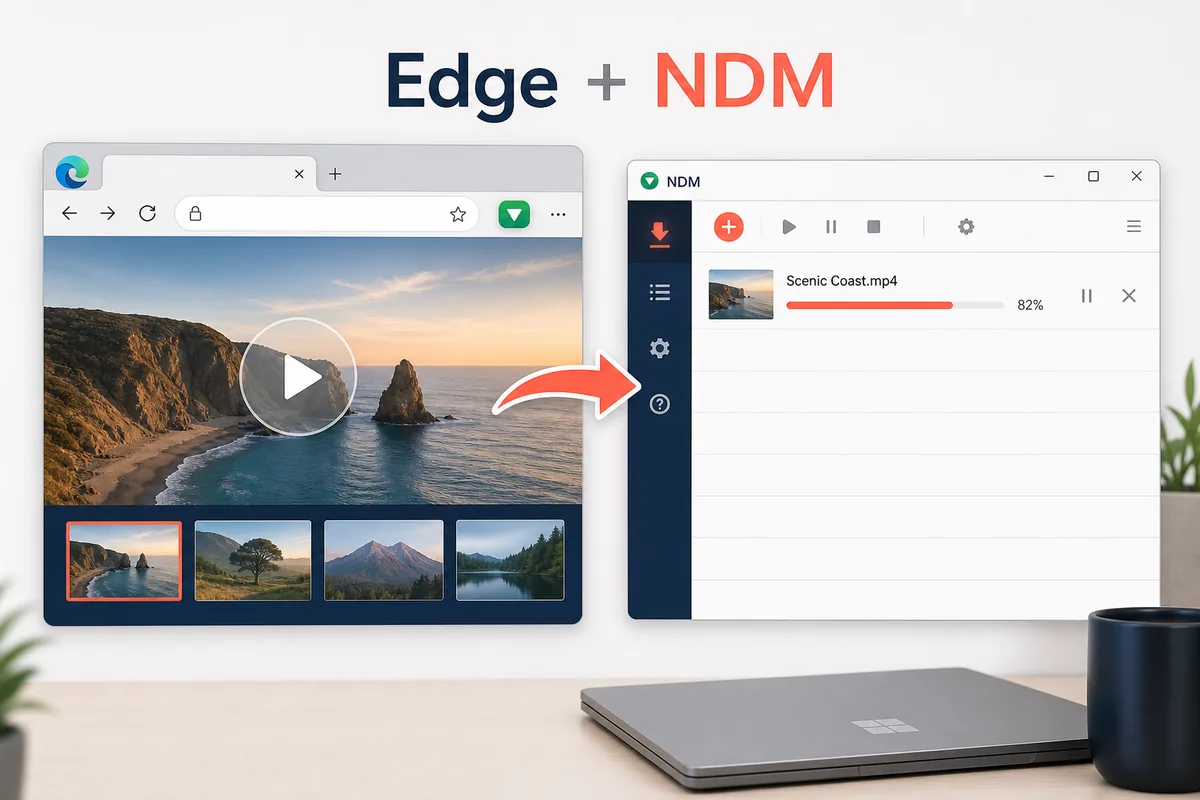
Illustration for the Edge-to-NDM handoff. The actual extension listing and desktop app state should still be checked before testing downloads.
External store and official-source links use a 15-second countdown before opening.
Quick Answer for Edge Users
The Neat Download Manager Edge extension is useful when you want Microsoft Edge to pass compatible download links to the NDM desktop app. It is not a standalone downloader, and it should not be tested before the desktop app can already create a normal download.
For most users, the right setup order is simple: install NDM for Windows or macOS, open the app, add the Edge extension, then test a plain file URL. If that works, move on to larger downloads, connection settings, video segments, or source sites that use temporary links.
Before You Install the Edge Extension
Microsoft Edge is Chromium-based, so many users assume the Chrome extension path is enough. In practice, Edge users should still start with a trusted store page and keep the desktop app visible during the first test. That makes it easier to see whether the browser handed off the link or kept the download inside Edge.
Do not judge the extension with a protected video page first. A protected player, encrypted stream, login-only URL, or script-generated link can fail even when the Edge extension is configured correctly.
The Edge extension is only the browser side. The NDM desktop app still manages the transfer, queue, pause, resume, and save location.
Edge Extension Install Steps
Use the sequence below when the goal is reliable Edge download capture rather than a quick install that is hard to debug later.
Download and install the Neat Download Manager desktop app from the official source link for your platform.
Open NDM and create one manual download to confirm the desktop app works.
Open the Microsoft Edge Add-ons listing for the NeatDownloadManager extension, or use the browser's trusted extension flow if the listing redirects.
Enable the extension and allow the browser-to-app handoff prompt if Edge asks for permission.
Test a simple direct file URL and confirm a new task appears inside the NDM desktop window.
What a Successful Edge Handoff Looks Like
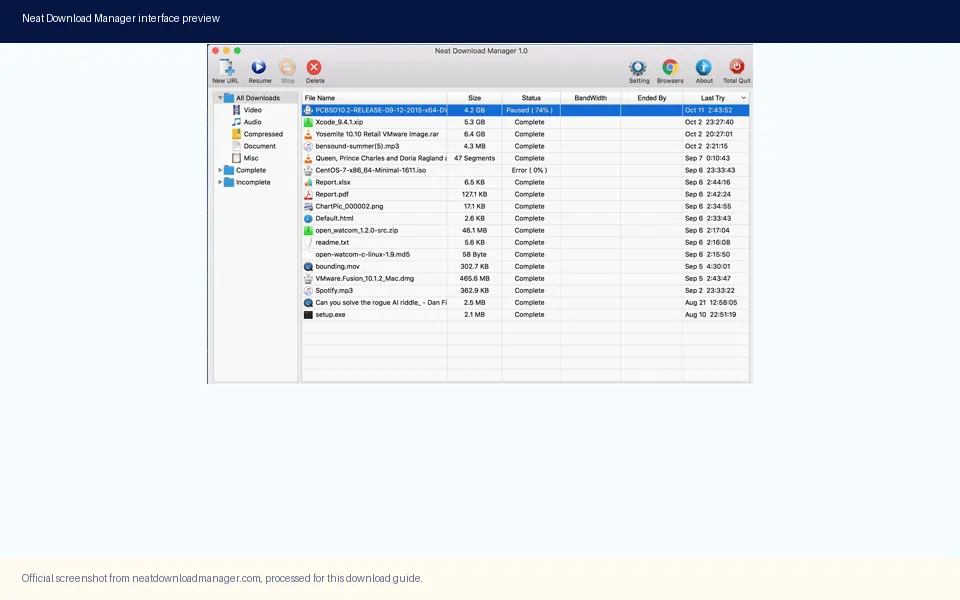
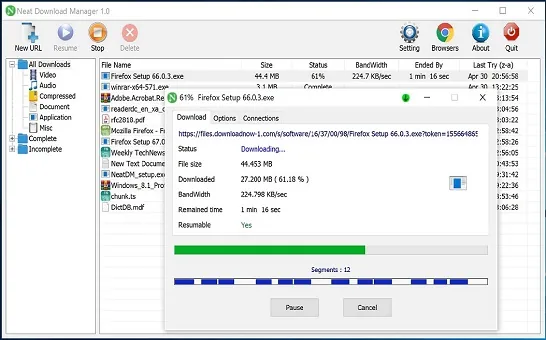
A successful Neat Download Manager Edge extension setup should produce a visible task inside NDM. You should see the file name, destination, progress state, and controls such as pause or resume. If Edge silently downloads the file itself, the browser extension may not be enabled, the handoff prompt may have been blocked, or the source URL may not be compatible.
If the desktop app can download a copied link manually but Edge cannot hand it off, focus on extension state and browser permissions. If both manual and extension downloads fail, troubleshoot the source link or desktop app first.
A successful Edge handoff should create a visible NDM task with a file name, progress state, and controls.
Edge vs Chrome vs Firefox Extension Paths
The Edge extension intent deserves its own page because the user's next step is different from Chrome or Firefox. Chrome users usually need the Chrome Web Store listing. Firefox users need the Firefox Add-ons page. Edge users often need to know whether to use Microsoft Edge Add-ons, a Chromium-compatible extension path, or the existing Chrome guidance.
The table keeps the boundary clear so this page does not compete with the existing Chrome and Firefox pages.
Browser
Best source path
Best page on this site
Microsoft Edge
Microsoft Edge Add-ons or trusted Chromium extension flow
This Edge extension setup guide
Chrome
Chrome Web Store listing
Chrome extension guide
Firefox
Firefox Add-ons listing
Firefox extension guide
Troubleshooting When Edge Still Downloads Files Itself
When Edge keeps handling downloads itself, start with the local chain. NDM should be open, the Edge extension should be enabled, the operating system should allow browser-to-app communication, and the source page should expose a direct downloadable link. Reinstalling the extension before checking these points often hides the real cause.
A careful test compares three cases: a direct file copied into NDM manually, the same direct file clicked in Edge, and a more complex page such as a media stream. The result tells you whether the blocker is NDM, the Edge extension, or the website.
If manual NDM download works but Edge handoff fails, inspect extension state and permissions.
If Edge handoff works only on simple files, the complex website may hide or expire links.
If neither manual nor extension download works, test the official installer link and app state first.
If the file appears with a strange name, the source server may be returning a redirect or temporary URL.
Version Freshness and Official Source Check
Because this is a download-guide site, version freshness matters before adding a new Edge extension page. The official Windows installer URL currently returns a 200 response for NeatDM_setup.exe with a 917,340-byte file, matching the site's Windows 1.4 / about 917 KB facts. The official macOS DMG URL currently returns a 200 response for NeatDMInstaller.dmg with a 1,468,544-byte file, matching the site's macOS 1.3 / about 1.47 MB facts.
This page does not claim a malware scan, official affiliation, or guaranteed availability on every future Edge build. It records the checked source path and directs users to official or store pages instead of unknown mirrors.
When Not to Use the Edge Extension
The Edge extension is not the right answer for every download problem. If a site requires login, uses DRM, hides the file behind a player, or blocks external managers, a browser extension may not have a stable link to send. In those cases, use the site's own allowed download flow or choose another workflow that respects the source site's rules.
For normal files, large archives, and compatible HTTP or HTTPS links, the Edge extension can reduce copy-and-paste steps. For protected streams and private files, the limitation is usually the source page rather than the extension.
Edge FAQ
Neat Download Manager Edge Extension FAQ
Does Neat Download Manager have an Edge extension?
There is an Edge Add-ons listing for a NeatDownloadManager extension. Install the NDM desktop app first, then use the trusted store path and test a simple direct file.
Can I use the Chrome extension in Microsoft Edge?
Edge is Chromium-based, but the safest path is to start with Microsoft Edge Add-ons when available. If you use a Chromium-compatible flow, still verify the extension source and the NDM desktop app state.
Why does Edge still download files itself?
The extension may be disabled, the handoff prompt may be blocked, NDM may be closed, or the source site may not expose a compatible direct URL.
Should I install NDM or the Edge extension first?
Install and open the NDM desktop app first. Add the Edge extension only after the desktop app can create a normal download.
Can the Edge extension download every video?
No. Protected, encrypted, login-only, or temporary media links may not be available to a download manager.
What is the best first test for the Neat Download Manager Edge extension?
Use a simple direct file URL. If that appears in NDM with a file name and progress bar, the basic Edge-to-NDM handoff is working.