The official Neat Download Manager site currently lists Windows and macOS, not a native Linux build. If you search for Neat Download Manager for Linux, the useful answer is therefore a source check: confirm what the developer publishes, separate community projects from the official product, and choose a Linux download manager that actually supports your distribution.
This guide does not invent a Linux installer or turn a third-party repository into an official release. It records the checked platform boundary, explains what a Linux alternative should provide, and gives a repeatable test order for downloads, browser handoff, file destinations, and package provenance.
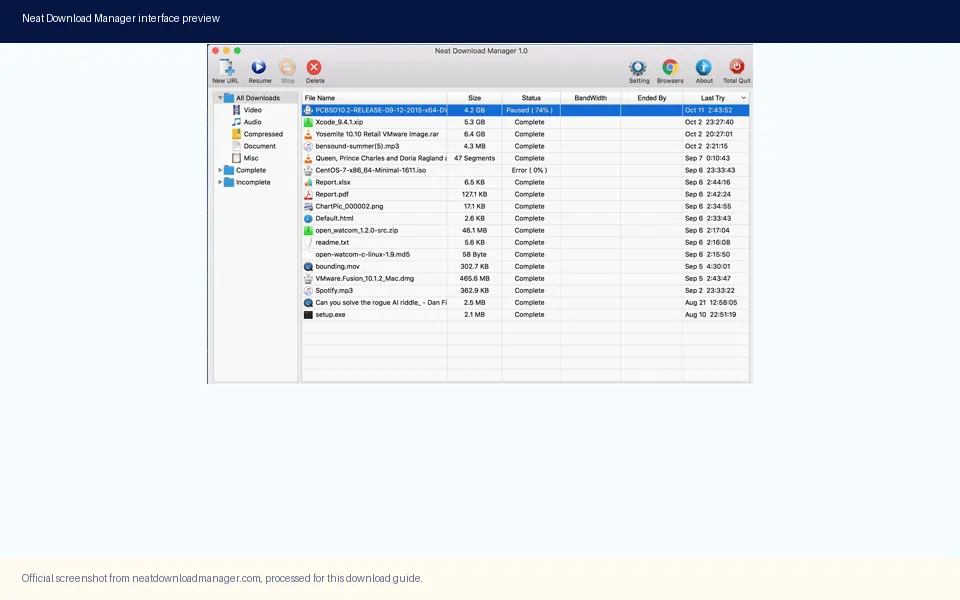
Processed official NDM interface media. It shows the desktop product, but it is not evidence of a native Linux build.
This is an informational compatibility guide. Use the official source or a project release page, not an unverified installer mirror.
Neat Download Manager for Linux: The Short Answer
If you are searching for neat download manager for linux, start with the official platform list rather than a download button. The official Neat Download Manager website checked on August 8, 2026 describes a desktop application for Windows and macOS. Its published requirements mention Windows 7 or higher and OS X 10.10 or higher. No native Linux package, AppImage, DEB, RPM, or Linux download link was listed on that first-party page.
That means the careful answer is not that NDM can never run in every Linux environment. The defensible answer is that no official native Linux edition was verified in the source checked for this guide. A community build, a compatibility layer, or a repackaged archive may use the same name, but each one needs separate provenance and compatibility checks. Treating a search result as an official release would blur the most important distinction in this query.
For most Linux users, the practical decision is simple: keep NDM on its documented Windows or macOS path, or choose a Linux download manager with a first-party Linux release and an update trail. If your main need is browser capture, queue control, pause and resume, or segmented downloads, compare those capabilities directly instead of trying to force a product onto an unsupported platform.
What the Official NDM Sources Actually List
The official source is the strongest evidence for the product boundary because it connects the product name, platform requirements, installer names, and download destinations in one place. On the check date, the Windows installer was NeatDM_setup.exe and the Mac installer was NeatDMInstaller.dmg. The official page still identified the desktop versions as Windows 1.4 and macOS 1.3. Those facts match the existing download fields on this site.
The direct Windows file responded with HTTP 200 and a Content-Length of 917,340 bytes. The direct Mac file responded with HTTP 200 and a Content-Length of 1,468,544 bytes. These are source and file-availability facts, not a claim that either file is suitable for Linux. They also do not prove that a third-party Linux package is safe. A stable official Windows URL cannot be converted into an official Linux download simply by changing the filename or adding a repository label.
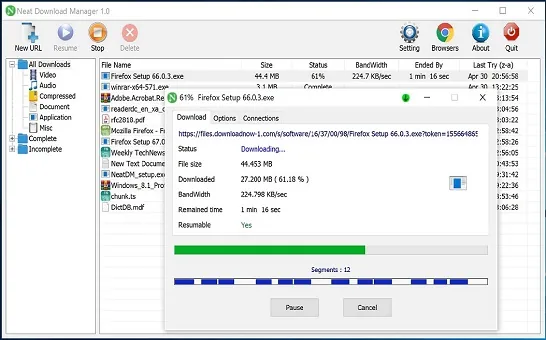
A real NDM transfer still depends on a compatible desktop environment, browser integration, and a source URL that the application can request. The official interface below is useful for understanding the product role: NDM manages transfers after a desktop installation. It should not be read as a Linux screenshot or as proof that a Linux browser extension can hand links to an NDM process.
Official NDM transfer media. A visible desktop transfer proves the application workflow, not Linux platform support or universal browser capture.
Fact checked
Official result
What it means for Linux
Desktop platforms
Windows and macOS are listed
No native Linux entry was found on the checked official page
Windows package
NeatDM_setup.exe, Windows 1.4, 917,340 bytes
Official Windows file, not a Linux package
Mac package
NeatDMInstaller.dmg, macOS 1.3, 1,468,544 bytes
Official Mac file, not a Linux package
Linux package
No official native package listed
Use a supported Linux alternative or verify a separate project
How to Read a Neat Download Manager Linux Package Claim
Search results for neat download manager linux include an independently maintained GitHub repository, package-directory pages, and articles that mix NDM with general Linux download managers. These results are useful leads, but a product name in a title is not publisher evidence. Before installing any package, look for a clear owner, a source repository, release notes, package contents, supported distributions, and a link back to the official project when an official relationship is claimed.
The public repository gendloop/NeatDM was checked separately. Its GitHub API record identifies gendloop as the owner, describes a file downloader, and reports a latest release tag of v1.4.20 published on July 12, 2023. That establishes the repository's own release history. It does not establish that the repository is maintained by the Neat Download Manager developer, that its binaries are official, or that its files are safe for a production browser profile. This page therefore links it only as a community source to investigate, not as a download CTA.
Confirm the publisher before the product name. An unrelated owner, mirror, or repackager should be labeled separately.
Check whether the package has a Linux-native format such as DEB, RPM, AppImage, Flatpak, or a documented source build.
Read the release history and issue tracker for distribution support, not only the latest filename.
Compare the package name, checksum policy, permissions, and installation instructions with the project's own documentation.
Do not run a renamed EXE, password-protected archive, or forced installer merely because its page says NDM Linux.
Keep the official Windows and Mac source available as the baseline for version and publisher comparison.
Linux Download Manager Alternatives to Evaluate
The broader phrase download manager for linux has real informational demand, but it is not the same as an official NDM Linux download query. A useful alternative should be chosen by platform support, task type, browser workflow, and maintenance evidence. It should not be selected only because a directory lists a familiar name. Start from the project's official website or release page, then confirm that its current package matches your distribution and architecture.
The table is a decision aid, not a safety certification. Features and package availability can change, so open each project's official page before installation. If a tool does not support your exact browser or distribution, a different manager may be a better fit even when its feature list looks shorter.
Option to research
Why it appears in Linux searches
What to verify before installing
Xtreme Download Manager
Linux-oriented desktop download manager with browser integration claims
Current package format, browser handoff, supported distribution, and official release notes
Free Download Manager
Broad cross-platform download manager with a strong Linux search presence
Official Linux package, installer source, update path, and the features you actually need
Motrix
Desktop queue workflow with Windows, macOS, and Linux release surfaces
Official GitHub release assets, package architecture, and whether browser capture is built in or manual
Persepolis or JDownloader
Useful when automation, queues, or link grabbing matter more than a small interface
Official project source, dependencies, permissions, and compatibility with your workflow
A Safe Linux Download Manager Test Workflow
Once you choose a candidate, test it with one harmless direct file before connecting it to complicated media pages or a personal browser profile. A direct file gives you a stable way to inspect the source URL, destination folder, progress, pause behavior, and completed output. It also prevents a website restriction from being mistaken for a broken Linux installation.
Change one variable at a time. First verify the project source, then install the package, then open the manager, then test a direct file, and only after that test browser handoff or segmented content. If a tool fails at the first step, do not solve the problem by downloading another repackaged build from an unrelated mirror. Return to the official documentation and the package manager's own verification path.
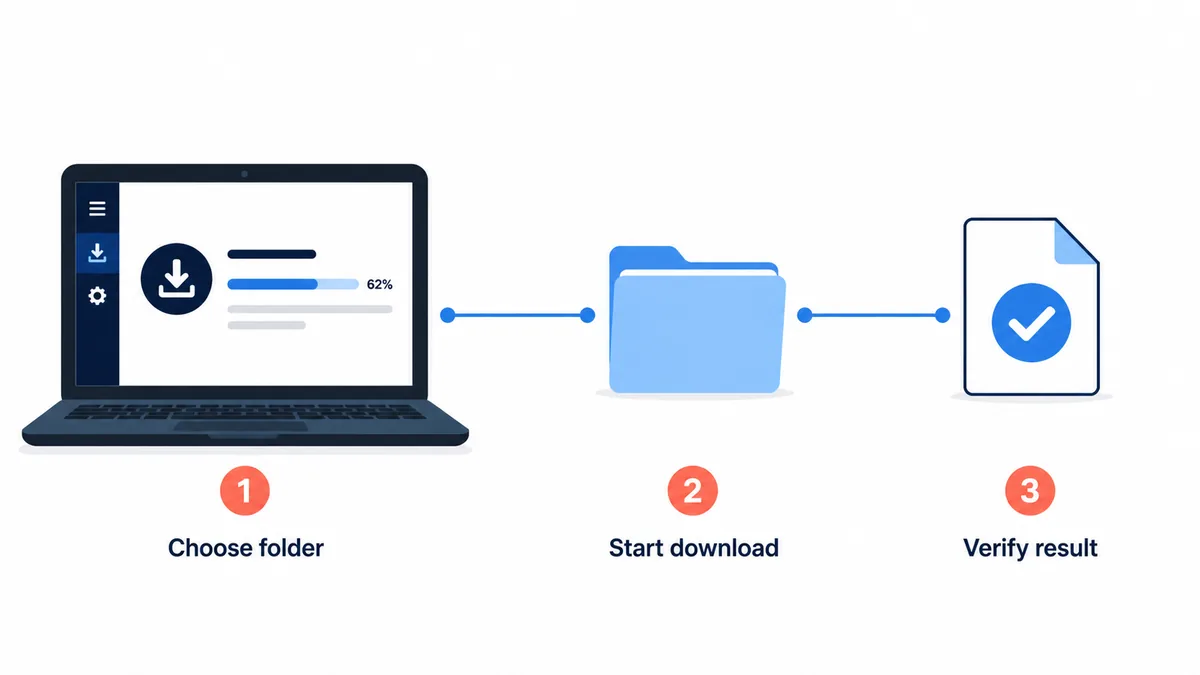
Conceptual workflow illustration, not an official NDM or Linux application screenshot. Keep the folder, transfer, and completed-file checks separate.
Start from the developer's official site, repository, or distribution package source and record the project name and release date.
Confirm your Linux distribution and CPU architecture, then use the package format and installation method documented by that project.
Open the manager and choose a test folder that you can inspect easily. Do not start with a sensitive folder or a private browser profile.
Download a small direct file that you are allowed to save. Confirm the URL, file name, size, destination, pause, resume, and completion state.
Test browser handoff only after the direct file works. Check browser permissions and the desktop process separately.
If a website fails but the direct file succeeds, classify the issue as source compatibility or permission before reinstalling the manager.
Remove a package when its publisher, permissions, update trail, or file origin cannot be explained.
What If You Need NDM Specifically?
If a team or workflow specifically requires Neat Download Manager, the documented choices are the official Windows and Mac environments. A Windows machine can use the official Windows installer, and a Mac can use the official DMG. That is a platform decision, not a recommendation to bypass Linux security controls. Keep the installer source and version facts visible so that a later support request can be reproduced.
Some Linux users consider Wine or a virtual machine. Those approaches are compatibility experiments rather than official NDM Linux support. Browser extension handoff, file permissions, network behavior, and segmented downloads may behave differently, and a successful launch does not prove that every feature works. If you try one, use a disposable test profile, start with a direct file, and avoid presenting the result as a supported native installation.
For a Linux-first workflow, the cleaner option is usually to choose a manager that publishes Linux packages and documents its browser or command-line integration. This avoids treating a compatibility layer as a product release and gives you a clearer update path when the distribution, browser, or download protocol changes.
Use the PC or Mac guide when you are installing NDM on its documented desktop platforms.
Use the alternatives comparison when your real need is a different queue, browser, or operating-system workflow.
Use the safety guide when a mirror, portable archive, APK, or browser-store listing makes an official claim.
Do not paste account cookies, private media URLs, or credentials into a third-party Linux downloader.
Common Mistakes and Platform Limits
The most common mistake is treating a general Linux download-manager list as proof that NDM has a native Linux edition. The second is confusing the independently maintained gendloop/NeatDM repository with the official product simply because the names overlap. A third is expecting a browser extension to create platform support by itself. Extensions can hand links to a desktop process, but they cannot supply a native application, package maintenance, or a compatible network stack.
There is also a difference between a download manager and a media extractor. Direct files and accessible segmented streams may work in many tools, while protected, encrypted, account-bound, or short-lived media can fail across several products. Do not bypass a service's rules or security controls to force a result. If the source is unavailable or unauthorized, the correct fix is a supported offline feature or an authorized file, not an unverified extension.
What you observe
Most likely boundary
Best next action
No official Linux package is listed
Product platform scope
Use a Linux-native alternative or a documented Windows/Mac environment
A community package has a matching name
Publisher and provenance
Verify owner, release history, permissions, and source; do not call it official
A direct test file works but one site fails
Website protocol, permissions, or protected media
Check the source rules and link type before reinstalling
Browser capture never reaches the app
Extension, app process, or integration path
Test the desktop manager first, then browser permissions and handoff
Final Notes Before Choosing a Linux Manager
The best answer to neat download manager for linux is evidence-led and limited: the official NDM page checked here lists Windows and macOS, while no native Linux package was verified. That does not make every community project invalid, but it does mean each project must stand on its own publisher, release history, package format, and compatibility documentation.
If you want a lightweight NDM workflow, use the official desktop route and the existing installation and extension guides. If you want a Linux-native workflow, compare supported alternatives and test one direct file before trusting browser capture or complex media. This boundary keeps the page useful without promising an installer that the first-party source does not publish.
Linux FAQ
Neat Download Manager for Linux FAQ
Is Neat Download Manager available for Linux?
The official Neat Download Manager page checked on August 8, 2026 listed Windows and macOS, but no native Linux package or official Linux download was verified. Treat community packages as separate projects until the developer links or publishes one.
Does Neat Download Manager work on Ubuntu or another Linux distribution?
No officially supported native Ubuntu or Linux installation was verified in the checked first-party source. Wine or a virtual machine may be compatibility experiments, but a successful launch should not be presented as official Linux support.
Is the gendloop NeatDM GitHub repository an official Linux version?
Its GitHub API record identifies gendloop as the repository owner and reports its own v1.4.20 release. That is evidence of a separate repository and release history, not proof that it is published or supported by the official Neat Download Manager developer.
What is the best Linux alternative to Neat Download Manager?
There is no universal winner. Research Xtreme Download Manager, Free Download Manager, Motrix, Persepolis, or JDownloader according to your distribution, browser handoff, queue, and automation needs, then verify the official package source before installing.
Can a Neat Download Manager browser extension add Linux support?
No. A browser extension can hand a compatible link to a desktop process, but it cannot create a native Linux application or prove that the desktop manager supports Linux permissions and integrations.
What should I test first in a Linux download manager?
Use one small direct file that you are allowed to save. Confirm the source URL, destination folder, file size, pause and resume behavior, and completed output before testing browser handoff or complex media.
Can I download the official Windows NDM installer on Linux?
The official Windows installer is a Windows file, not a Linux package. You may research a compatibility-layer setup separately, but the official source checked here does not turn that installer into a native Linux release or guarantee that all features work.