Is Neat Download Manager Safe? 7 Checks Before You Install
Neat Download Manager can be treated as a reasonable download manager only when you get the Windows or macOS installer from the official Neat Download Manager domain and install browser extensions from their store listings. That is different from saying every mirror, portable package, APK, video-capture script, or repackaged bundle using the NDM name is safe.
Use this independent safety guide before you run an installer, add a browser extension, trust a mirror, or search for a portable or Android package using the NDM name.
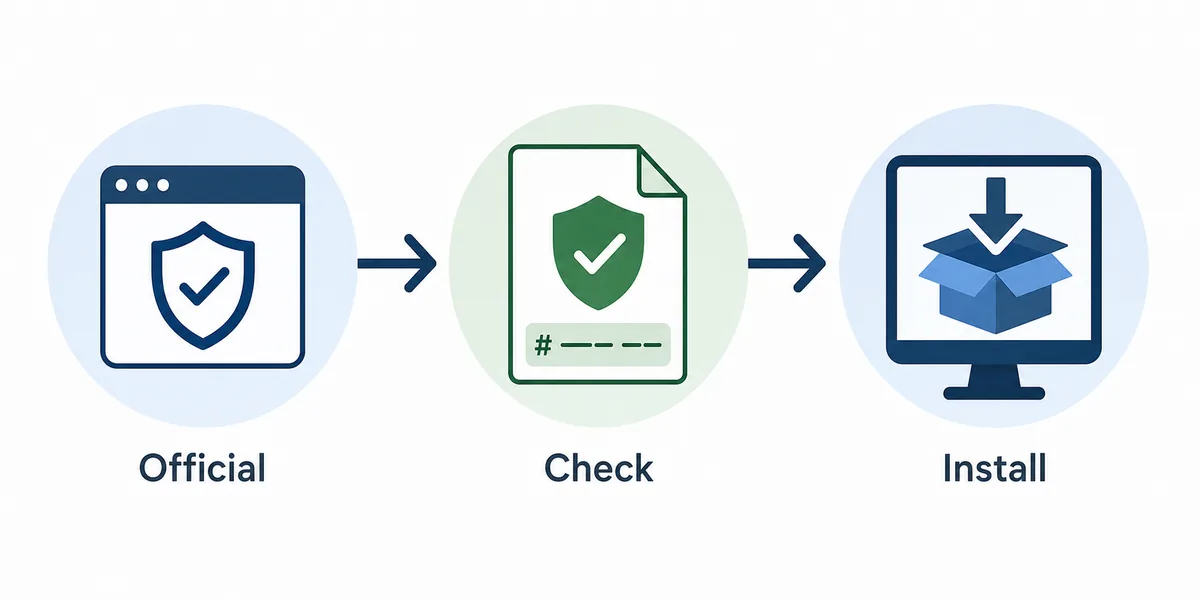
A simple safety sequence for download-manager software: official source, file check, then install. This is an editorial illustration, not a product screenshot.
Direct installer links use a 15-second countdown before opening the verified source.
The Short Answer: Is Neat Download Manager Safe?
Neat Download Manager can be treated as a reasonable download manager only when you get the Windows or macOS installer from the official Neat Download Manager domain and install browser extensions from their store listings. That is different from saying every mirror, portable package, APK, video-capture script, or repackaged bundle using the NDM name is safe.
Download software touches files, browser links, storage folders, and sometimes media URLs. The useful safety question is not whether a name looks familiar; it is whether the exact file, extension source, version, and download flow can be traced before you run it.
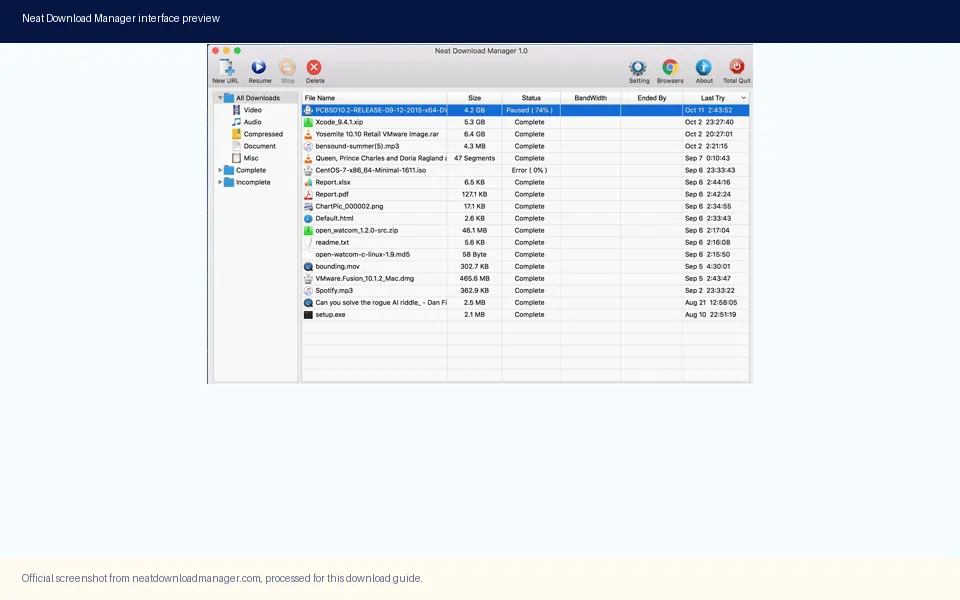
Use the real desktop app and official source pages as the baseline; do not judge safety from a random mirror label alone.
What Safe Can and Cannot Mean Here
A safe Neat Download Manager download means the source path is explainable: official website for desktop installers, browser store for extensions, and no forced extra bundle in between. It does not mean this independent site has performed a live malware scan, audited the program code, or verified every future update.
Many search results around download managers mix official files, software directories, review pages, and cloned names. A directory badge or user rating can be useful context, but it does not prove developer ownership. When in doubt, use the official source page or skip the download.
Question
Conservative answer
Official desktop file?
Use the official domain and match the expected file name.
Official extension?
Use Chrome Web Store or Firefox Add-ons, not a loose CRX/XPI file.
Portable build?
No verified official portable build was found in this workflow.
Android APK?
No verified official Android package was found on the checked official sources.
Malware claim?
Do not claim safe or clean unless a current scan for the exact file exists.
Version Freshness and Verified Download Facts
On July 30, 2026, the official Windows direct file NeatDM_setup.exe returned HTTP 200 with application/octet-stream and a 917,340-byte content length. The official macOS file NeatDMInstaller.dmg returned HTTP 200 with application/octet-stream and a 1,468,544-byte content length.
Those checks matched the version facts already used across this site: Windows version 1.4 and macOS version 1.3. No newer official desktop version was found during this run, so existing version numbers, file sizes, compatibility notes, and installer CTA destinations did not need to change before publishing this safety guide.
Platform
Checked fact
Result
Windows
NeatDM_setup.exe
HTTP 200, 917,340 bytes, version 1.4
macOS
NeatDMInstaller.dmg
HTTP 200, 1,468,544 bytes, version 1.3
Firefox
Mozilla Add-ons listing
Public store page available
Chrome
Chrome Web Store path
Public store path checked
Checked
Version freshness gate
July 30, 2026
7 Checks Before You Install NDM
Use these checks before clicking a Neat Download Manager download button on any page. Most unsafe download experiences start with a vague mirror, a renamed installer, or an extension file that bypasses the browser store.
The safest workflow is official source first, file identity second, browser store third, then one plain test download. Do not start with a protected video page or a login-only file; that makes it harder to tell whether the issue is local setup, site policy, or unsupported media delivery.
Confirm the source domain or store listing before downloading.
Match the file name: NeatDM_setup.exe for Windows or NeatDMInstaller.dmg for macOS.
Check the expected file size when the source exposes it.
Install the desktop app before installing or testing browser extensions.
Use Chrome Web Store or Firefox Add-ons for extensions.
Test one ordinary direct file before testing large media or HLS links.
Stop if a page asks for cookies, account tokens, unknown scripts, or a renamed bundle.
Mirrors, Portable Builds, APKs, and Lookalike Names
The riskiest Neat Download Manager searches often include modifiers such as portable, APK, Android, cracked, old version, full setup, or mirror. Similarweb returned low or zero click evidence for some exact modifiers, but the intent is still important because one unsafe file can do more harm than a missed ranking opportunity.
For portable builds and Android packages, this site does not publish a direct file button unless a first-party source can be verified. A page that uses the NDM name, copies screenshots, or hosts a scan badge is not the same thing as a developer-owned release channel.
Avoid installers that change the file name or add a download wrapper.
Avoid portable packages unless the developer publishes them clearly.
Avoid APK listings that cannot be connected to the official desktop developer.
Avoid browser extensions distributed as loose files instead of store listings.
Avoid pages that promise bypassing protected or encrypted media.
Browser Extensions and Media Limits
The browser extension is part of the normal NDM workflow, but it should not be treated as proof that every website can be downloaded. The extension hands compatible links to the desktop app. It does not make encrypted media, temporary account-bound URLs, or protected playback automatically downloadable.
This is why a safety guide belongs on the site separately from the extension-not-working guide. A user may have a clean install and still fail on a protected source. The safer answer is to test a normal file, verify the extension state, and respect the source service rules.
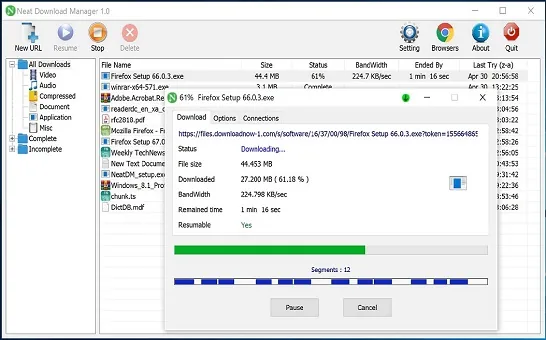
A compatible transfer exposes file details and progress. Protected or temporary media may never create this kind of stable download entry.
If Windows or macOS Shows a Warning
A system warning is not automatically proof that a file is malicious, but it is a signal to slow down. Check the source URL, file name, file size, publisher context when available, and whether you intentionally started the download. If any part of the chain is unclear, cancel and return to the official source page.
Do not disable browser security, paste account cookies into a downloader, or run a bundle just because a forum comment says it is required. A download manager should simplify ordinary downloads; it should not require risky account or browser changes to prove itself.
Final Verdict for Safe NDM Downloads
The practical verdict is cautious: Neat Download Manager is best approached as safe to evaluate when the installer comes from the official NDM domain, the extension comes from a public browser store, and the first test uses a normal direct file. That verdict does not transfer to mirrors, unofficial APKs, portable builds, cracks, or pages that claim universal video downloading.
For this site, the safety page is a new article rather than a section inside the homepage because the search intent is different. Download pages answer where to get NDM; this page answers how to judge the source before trusting the file.
FAQ
Neat Download Manager Safety FAQ
Is Neat Download Manager safe to install?
It is reasonable to evaluate when downloaded from the official Neat Download Manager domain or browser store listings. Do not extend that trust to mirrors, renamed installers, unofficial APKs, or portable builds without first-party evidence.
Is neatdownloadmanager.blog the official site?
No. This site is an independent guide that links to official or source pages when available and documents checked file facts.
Does this page prove the installer is malware-free?
No. This page verifies source path, file name, current HTTP availability, and file size. It does not claim a live antivirus scan or code audit.
Is Neat Download Manager portable safe?
No verified official portable build was found in this workflow. Treat portable packages as unverified unless the developer publishes a clear first-party release.
Is the Neat Download Manager Android APK safe?
No verified official Android package was found from the checked official sources. Use the Android availability guide instead of installing a lookalike APK.
Can the NDM extension download encrypted media safely?
No. Public extension descriptions and this site’s compatibility guides distinguish normal link handoff from encrypted or protected media, which may not be downloadable.