Neat Download Manager is worth considering if you want a lightweight desktop download manager for direct files, browser handoff, pause and resume, and segmented transfers. It is less suitable when you need a universal video downloader, a Linux build, or a guarantee that every website will expose a compatible file.
This review separates documented product behavior from practical expectations. It checks the official Windows and macOS sources, explains where segmentation helps, and gives a short test workflow so you can decide from your own files instead of a speed promise.
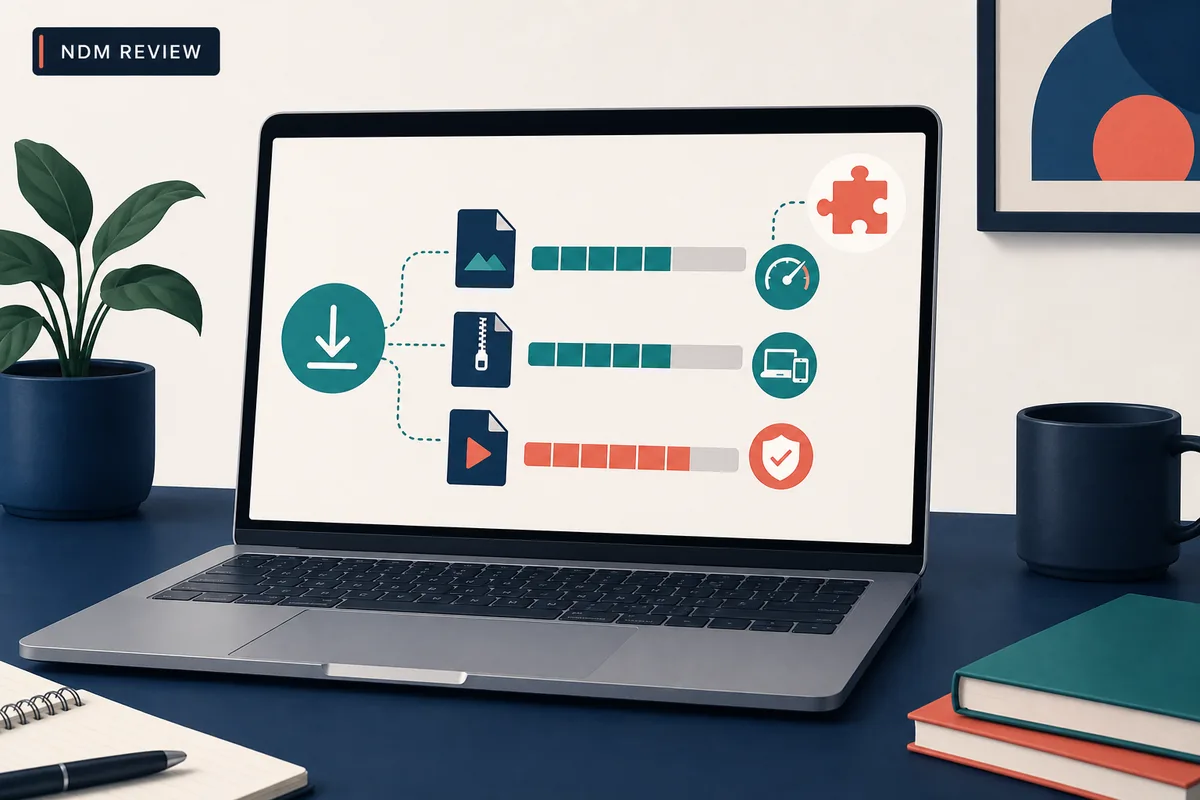
Concept illustration for this independent review. The abstract bars explain the review criteria; they are not a screenshot of the NDM interface.
This is an independent review. Source checks do not equal a malware scan or a guarantee that every link will work.
Neat Download Manager Review: Short Verdict
The short answer is yes, Neat Download Manager is a reasonable tool to try when your main job is moving ordinary files from stable URLs. The official product page describes a desktop manager for Windows and macOS with pause and resume, multiple connections, bandwidth limits, browser extensions, and segmented HLS handling. Those features make it useful for large direct files and repeat downloads, especially when you prefer a small app over a large suite.
The important qualification is compatibility. A download manager can control a transfer only after it receives a usable URL and the server permits the requested operation. It cannot turn a login-only page, an expired signed link, an encrypted stream, or a blocked request into a normal file. A good review therefore asks two questions: does NDM provide a comfortable workflow for your files, and can you verify the source before installing it?
My practical verdict is positive for Windows and macOS users who value a lightweight interface and simple control over active tasks. I would not choose it solely because a page promises faster downloads, and I would not use an unofficial portable package, APK, or renamed installer as evidence of the product. Test one permitted direct file first, then decide whether the browser extension and segmented transfer behavior fit your routine.
What Neat Download Manager Does Well
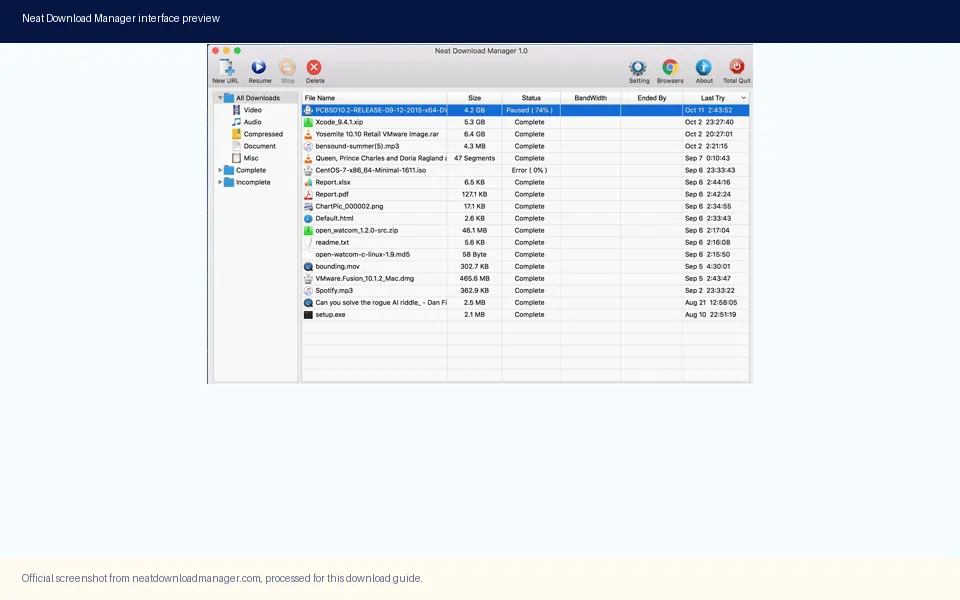
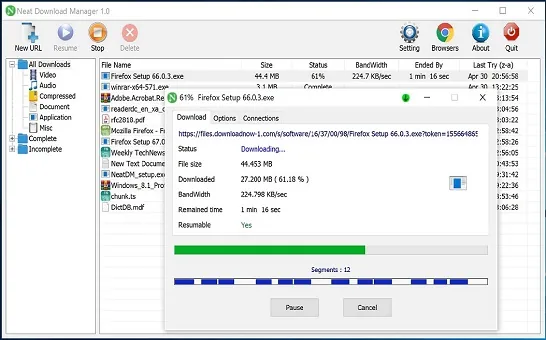
NDM's strongest case is concentration. The official interface groups downloads by type and state, while a task can expose progress, bandwidth, remaining time, resumability, and connection information. That gives you more control than a browser's small download shelf without forcing you to configure a full server or automation stack. The value is practical rather than flashy: you can see what is active, pause a task, resume it later when the source still permits it, and keep completed files separate from unfinished work.
The product also supports a browser companion model. A Chrome, Firefox, or Edge extension can hand a browser link to the desktop application, but the extension is not a replacement for the desktop app. This distinction matters when troubleshooting. If a direct URL fails inside NDM, changing the extension may not help. If the browser never hands the link to NDM, reinstalling the desktop program may not solve the browser-side permission or capture problem.
Official NDM interface media. The visible grouping supports the review's point about task state and organization; it is not used as proof of a newer version.
A compact desktop workflow for ordinary HTTP or HTTPS file transfers.
Pause and resume controls when the source and task data remain valid.
Connection and bandwidth settings that expose useful tradeoffs instead of hiding them.
Browser handoff through extensions for users who start downloads on the web.
Segmented handling for compatible HLS downloads, with a merge stage when required.
Features That Matter in Daily Use
Feature lists are only useful when they change a real decision. The table below turns the official capability claims into review criteria. It also marks the boundary between a feature NDM can offer and an outcome that still depends on the server, network, file type, or website policy.
The most useful combination for a beginner is a fresh task, a stable direct file, a writable destination, and a small test before a large transfer. If those conditions are present, NDM's controls are easy to evaluate. If they are absent, a failure may describe the source rather than the application.
Feature
What it means in practice
Review note
Pause and resume
Stop an active task and continue later when the URL and resume data still work.
Useful, but not a promise that every server supports resume.
Multiple connections
Split a compatible transfer into concurrent requests.
Can help on some servers; too many connections can also hurt stability.
Bandwidth limit
Reserve part of the connection for browsing or other work.
A control for consistency, not a way to create more bandwidth.
Browser extension
Send a captured link from a supported browser to the desktop app.
Requires the desktop app and correct browser permissions.
HLS segments
Download compatible segments and merge them after transfer.
Protected or adaptive playback can remain unavailable.
Task organization
Separate complete, incomplete, and file-type groups.
Helpful for repeat downloads and cleanup decisions.
Speed: Segmentation Helps, but It Is Not Magic
Neat Download Manager can feel faster when the server supports parallel ranges and your network is not already the bottleneck. Segmentation lets the application request different parts of a file at the same time, while connection and bandwidth controls let you tune how aggressively the task uses the link. The improvement is conditional: a fast server, a stable URL, and enough available bandwidth matter more than the number shown in a settings menu.
A useful comparison is to test the same permitted direct file in a clean NDM task and in the browser, using the same network and destination drive. Record the first minute, the sustained rate, and whether the task finishes. One burst is not enough evidence. A source may throttle requests, change its rate, or reject range requests after the first connection.
Official NDM transfer media. Progress and segment information are useful for comparing a real task; they do not prove that every source will be faster.
Expect the biggest gain when the server exposes a stable file and accepts parallel range requests.
Do not increase connection counts blindly; a source can throttle or reject aggressive requests.
Keep bandwidth limits low enough for other work when the download runs in the background.
Separate a slow source, a full disk, and a weak Wi-Fi link before blaming NDM.
Browser Extension, HLS, and Link Compatibility
The browser extension is best understood as a handoff layer. It can help send a link to the desktop manager, but it does not bypass a website's login, consent, rate limit, access control, or media protection. Start troubleshooting by checking whether the desktop application is open, whether the extension is enabled for the current browser profile, and whether a normal direct file is captured correctly.
Media links need extra caution. The official product page mentions browser video and HLS-related behavior, but a video page is not automatically a downloadable file. A direct MP4 may behave differently from an HLS playlist, and an adaptive or encrypted stream may not expose a compatible resource. Download only material you are allowed to save, and use the page's permitted source instead of chasing a broken capture.
This boundary is why the review does not treat a failed YouTube or protected-media test as a simple product score. A clean direct-file test tells you whether the desktop app and network path work. A protected page test often tells you more about the website's delivery method and permissions than about NDM's ordinary file-transfer capability.
Test the desktop app with a small direct file before testing a browser capture.
Confirm the extension and desktop application belong to the same supported workflow.
Treat HLS merge time as a normal second stage, not necessarily a frozen download.
Do not assume an extension can make an encrypted or login-only stream available.
Platforms, Price, and Version Facts
The official product page is the source of truth for the platform boundary used in this review. On August 19, 2026, it still listed Windows 7 or higher and macOS 10.10 or higher, with version 1.4 for the Windows setup file and version 1.3 for the macOS DMG. The official installer URLs returned HTTP 200 during the same check, with 917,340 bytes for the EXE and 1,468,544 bytes for the DMG.
The official site presents Neat Download Manager as a free Internet Download Manager for these desktop platforms. That does not mean every mirror, portable bundle, browser extension listing, or APK using the same name is official. Keep the product claim attached to the first-party page and match the file name, platform, version label, and source domain before installing.
No release date was published beside these version labels on the checked product page, so this article uses a checked-on date rather than claiming that 1.4 or 1.3 is the latest release forever. Recheck the official page before a future installation, especially when a third-party download page advertises a different version.
Platform
Checked source fact
Practical fit
Windows
NeatDM_setup.exe, version 1.4, 917,340 bytes, Windows 7 or higher.
Best fit for a standard Windows desktop download workflow.
macOS
NeatDMInstaller.dmg, version 1.3, 1,468,544 bytes, OS X 10.10 or higher.
Useful when the Mac workflow needs pause, resume, or connection control.
Linux
No official Linux installer was listed on the checked product page.
Use the separate Linux availability guide before trying a community package.
Android
No official Android APK or Play Store package was verified in the checked sources.
Do not treat an APK mirror as a desktop product source.
Price
The official page presents the desktop application as free.
Confirm the source page rather than trusting a mirror's payment or license claim.
Safety and Source Checks Before Installing
A trustworthy download decision begins with attribution, not a familiar icon. Open the official Neat Download Manager domain, follow its own installer links, and compare the file name and platform with what the page describes. The same discipline applies to browser extensions: use the official store listing linked by the product or a clearly traceable first-party source, and review the requested permissions before enabling capture.
This page does not claim that the installer is malware-free. The check confirms source path, response status, content type, byte count, platform, and the version labels published by the official page. It does not replace an antivirus scan, code audit, or the operating system's warning system. That distinction matters because a working HTTP 200 response proves availability, not safety in every possible sense.
Be especially skeptical of pages that combine NDM branding with a crack, a renamed portable archive, an unofficial APK, a universal video promise, or a download button that never identifies the final source. If the package identity or release history cannot be connected to the official product, use the official page as the fallback and avoid calling the third-party file safe.
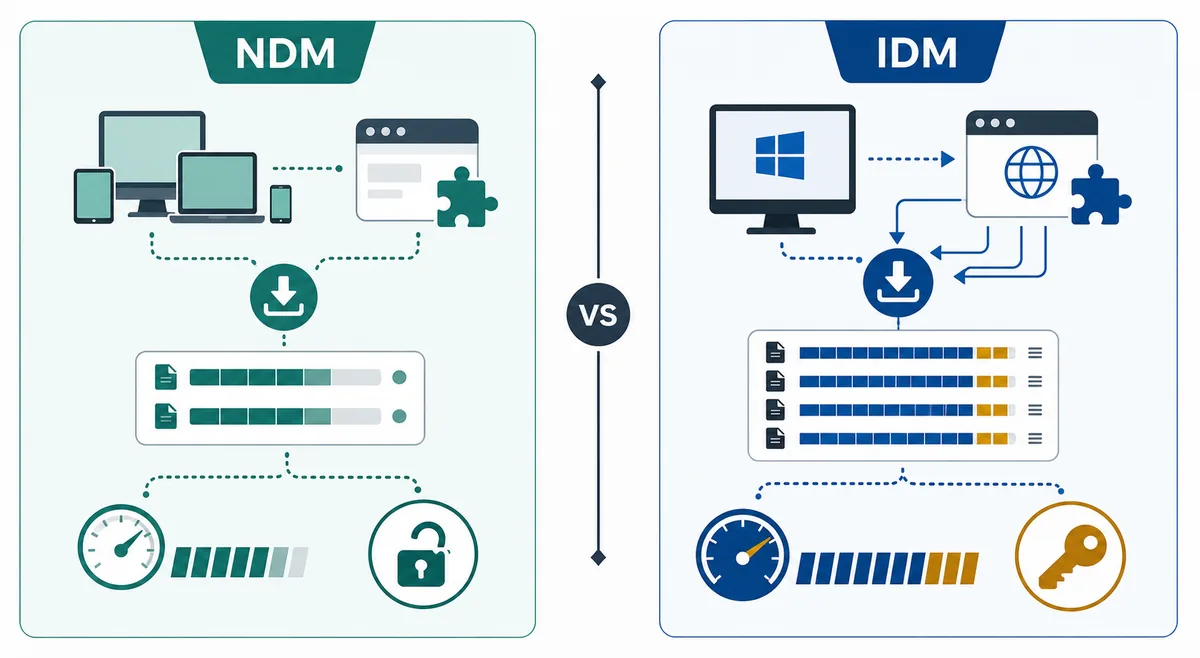
Comparison illustration used as a decision aid. It summarizes criteria discussed in HTML; it is not an official NDM or IDM screenshot.
Start at the official NDM domain and follow a clearly identified installer link.
Match product name, file name, platform, version label, and source domain.
Treat HTTP 200 and file size as availability evidence, not a malware-scan result.
Avoid cracks, renamed portable packages, unofficial APKs, and unexplained mirrors.
Review browser-extension permissions before enabling automatic capture.
Keep the official source link so a future version check is repeatable.
NDM vs IDM and Other Download Managers
Neat Download Manager and Internet Download Manager solve a similar desktop problem, but the best choice depends on the platform and the workflow rather than a single speed claim. NDM is attractive when a free, lightweight Windows or macOS application covers the need. IDM may be a stronger fit for a Windows user who wants a more established commercial ecosystem and accepts its licensing model. Neither application can override a source that does not provide an accessible file.
Free Download Manager, Motrix, and JDownloader can also be reasonable comparisons, but they have different strengths and source expectations. An alternatives page is the right place for a broad list; this review keeps the comparison narrow so the central question remains whether NDM fits your own download routine. Use the first test file, browser capture behavior, platform needs, and support expectations as decision evidence.
The table is intentionally practical. It does not rank products by invented benchmark numbers, because speed depends on the same server, file, network, and configuration variables discussed above. It tells you where a product boundary is likely to matter before you install or switch.
Choice
Good fit when
Watch for
Neat Download Manager
You want a small free desktop manager on Windows or macOS.
No official Linux or Android build was verified; protected media may still fail.
Internet Download Manager
You are on Windows and prefer a commercial, established workflow.
License cost and Windows focus may not fit every user.
Free Download Manager
You want a broader alternative to compare with a free workflow.
Verify the official source and compare features instead of copying mirror claims.
Motrix or JDownloader
You need a different open-source or multi-protocol workflow.
Browser integration, platform support, and setup effort differ by project.
How to Test NDM Before You Commit
A ten-minute test is more useful than a generic star rating. Use a file you are allowed to download and whose URL is stable. Keep the test small enough to repeat, but large enough to observe whether the task pauses, resumes, uses the destination you selected, and completes without a merge or permission surprise.
Write down the result instead of relying on memory. Note the source URL type, platform, browser, destination drive, average transfer behavior, and the first error message if it fails. This record helps you decide whether the problem belongs to NDM, the extension handoff, the destination folder, the server, or the media format.
Install only from the official product page or a first-party store link that you can verify.
Open NDM and create a clean task for a permitted, stable direct file.
Choose a writable destination with enough free space and start a small transfer.
Pause and resume once, then check whether the file continues rather than restarting unexpectedly.
Try the browser extension with the same kind of direct file only after the desktop test passes.
Record the result and use the relevant troubleshooting guide instead of reinstalling blindly.
Who Should Use NDM? Final Recommendation
Choose Neat Download Manager when you want a focused desktop download workflow, work mainly with stable direct files, and value controls such as pause, resume, segmentation, bandwidth limits, and task grouping. It is a sensible first test for Windows and macOS users who do not need a Linux package, Android app, or a universal solution for protected video sites.
Choose something else, or compare more carefully, when your priority is a commercial Windows-only ecosystem, a specific protocol, a verified Linux workflow, or an official mobile app. The product can still be useful in a mixed setup, but a page using the same name is not proof that the package belongs to the same developer.
Overall, this is a qualified recommendation: NDM looks useful for lightweight desktop downloads, but its value comes from a compatible source and a verifiable install path. Start with one direct file, inspect the real task behavior, and keep the official source page available for the next version check.
Recommended for: stable direct files, pause/resume, and a lightweight desktop interface.
Worth testing for: browser capture and compatible HLS workflows.
Not a fit by itself for: encrypted media, login-only links, or unsupported platforms.
Do not infer safety from: a mirror name, an APK, a crack, or a renamed portable archive.
Best next step: compare the official source facts with one small permitted download.
Review FAQ
Neat Download Manager Review FAQ
Is Neat Download Manager worth using?
It is worth testing if you need a lightweight Windows or macOS manager for stable direct files, pause and resume, browser handoff, and segmented transfers. Test a permitted file first instead of relying on a universal speed claim.
Is Neat Download Manager free?
The official product page presents the desktop application as a free Internet Download Manager for Windows and macOS. Use that first-party page rather than assuming a mirror, portable bundle, or APK has the same licensing or source.
Does Neat Download Manager really increase download speed?
It can improve a compatible transfer when the server accepts parallel ranges and your network is not the bottleneck. It cannot create bandwidth or bypass a server throttle, weak connection, expired URL, or protected media format.
Is Neat Download Manager safe to install?
A source check is reasonable when the installer comes from the official domain or a traceable browser store listing. This review does not claim a malware scan; verify the source, file name, platform, version label, and permissions separately.
Does Neat Download Manager work on Mac?
The official page lists macOS 10.10 or higher and a macOS DMG labeled version 1.3 in the August 19, 2026 check. Recheck the official page before a future installation because version labels can change.
Is NDM better than IDM?
NDM is appealing when you want a free, lightweight workflow on Windows or macOS. IDM may suit a Windows user who prefers a commercial ecosystem. Compare platform, browser capture, source compatibility, and licensing instead of assuming one speed winner.
Does this review prove that every NDM download link works?
No. NDM depends on the URL, server permissions, destination path, browser handoff, and media format. A small direct-file test is the most useful way to separate an application issue from a website limitation.
Checked sources
Official product and extension sources
Official Neat Download Manager website - Checked August 19, 2026 for platform requirements, version labels, feature claims, and official installer links.