Neat Download Manager vs IDM: 7 Differences Before You Switch
Neat Download Manager vs IDM is not a simple free-versus-paid argument. NDM is better when you want a small free Windows or macOS download manager with basic browser handoff; IDM is better when you specifically need a long-running commercial Windows workflow with deeper browser capture and queue controls.
Use this guide after you confirm that your download source is compatible. If the website hides the real file behind scripts, login-only links, or protected media, changing download managers may not fix the problem.
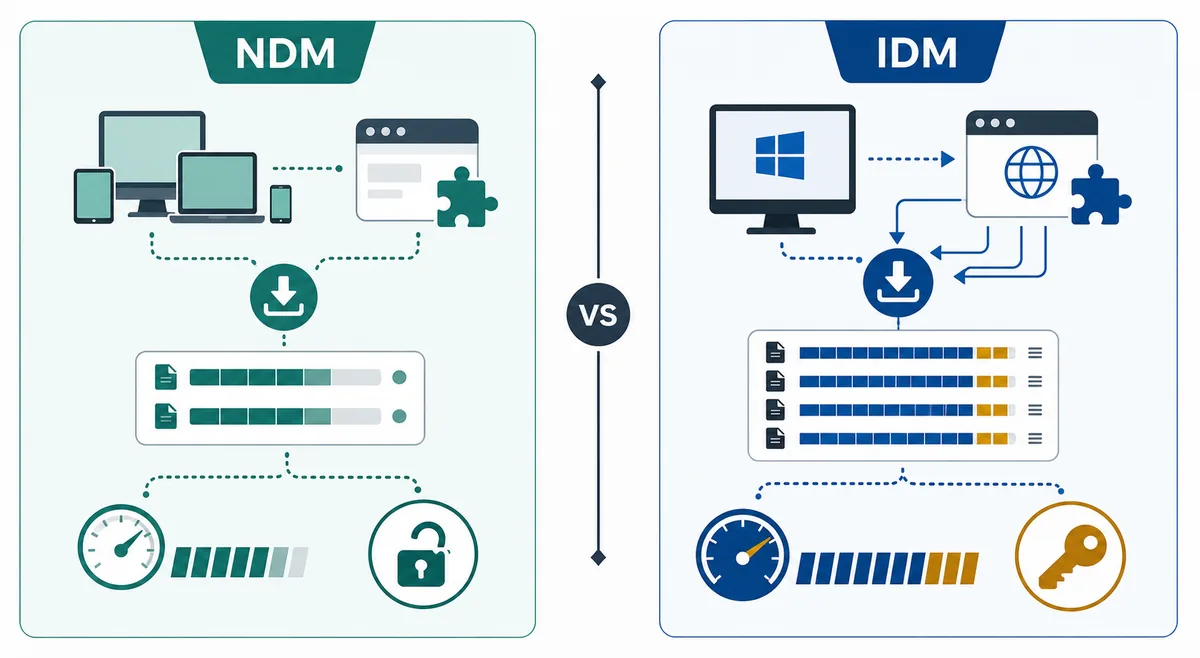
NDM and IDM solve similar download-manager jobs, but their platform, pricing, and browser-capture assumptions are different. This is an editorial illustration, not a product screenshot.
Direct NDM installer links use a 15-second countdown before opening the verified official source.
Quick Verdict: NDM or IDM?
Choose Neat Download Manager when you want a lightweight free tool for Windows or macOS, a small official installer, simple pause and resume, segmented downloading, and browser handoff through supported extensions. It is the better first test when you do not want to buy a license before proving that your download source works.
Choose Internet Download Manager when your workflow is Windows-first, commercial software is acceptable, and you want a more mature capture ecosystem, scheduler-style controls, queue management, and a tool that many users already compare against other Windows accelerators. IDM is not the same product as NDM, and it is not a universal bypass for protected streams.
The practical answer is to test the link type first. If a normal direct file works in NDM, your setup is basically healthy. If only a video page or login-only source fails, the limit may come from the website rather than from either download manager.
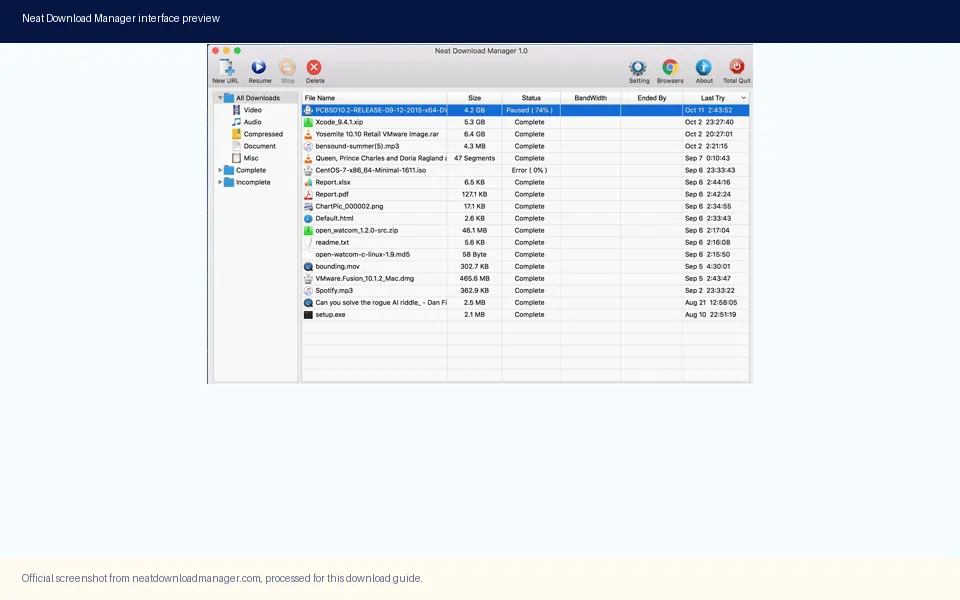
NDM's value is the simple desktop workflow: add a compatible link, choose a folder, and manage the transfer without a heavy setup.
NDM vs IDM Comparison Table
The table below separates product fit from search hype. It focuses on the decisions a user usually has to make before installing: price, operating system, browser capture, speed expectations, and source safety.
Similarity is useful, but it should not hide the main difference. NDM is positioned as a free download manager for Windows and Mac with official desktop files checked from the Neat Download Manager site. IDM is a commercial Windows download manager, so it can be a strong choice for users who already want that Windows ecosystem.
Decision point
Neat Download Manager
IDM
Price model
Free desktop download manager.
Commercial software with a paid-license model.
Platform fit
Windows and macOS guides are the core fit on this site.
Best known as a Windows-focused download manager.
Browser capture
Works through supported browser extensions and compatible links.
Known for broad Windows browser integration, but still depends on source compatibility.
Speed expectation
Uses multiple connections and segmented downloads when the server allows it.
Also uses acceleration techniques; results vary by server, network, and file source.
Best first test
A normal direct file from a stable source.
A Windows browser workflow with a normal downloadable file.
Main risk
Unofficial mirrors, APK claims, portable builds, or incompatible media pages.
Cracked installers, unofficial license claims, or assuming it can bypass every protected stream.
Best user
Someone who wants a small free downloader before comparing paid tools.
Someone who wants a commercial Windows download-manager workflow.
7 Differences That Matter Before Switching
First, the price decision is real. If you only need one or two normal file downloads, NDM is the lower-friction test because it does not require a paid commitment. If download management is part of your daily Windows workflow, IDM may be worth evaluating as a paid tool.
Second, platform fit matters. NDM has Windows and macOS desktop paths, while IDM is usually evaluated as a Windows tool. Mac users comparing NDM vs IDM should not treat the two products as equal platform choices.
Third, browser integration is not magic. Both tools depend on browser handoff and source compatibility. A disabled extension, a closed desktop app, or a website that creates short-lived links can make either tool look broken.
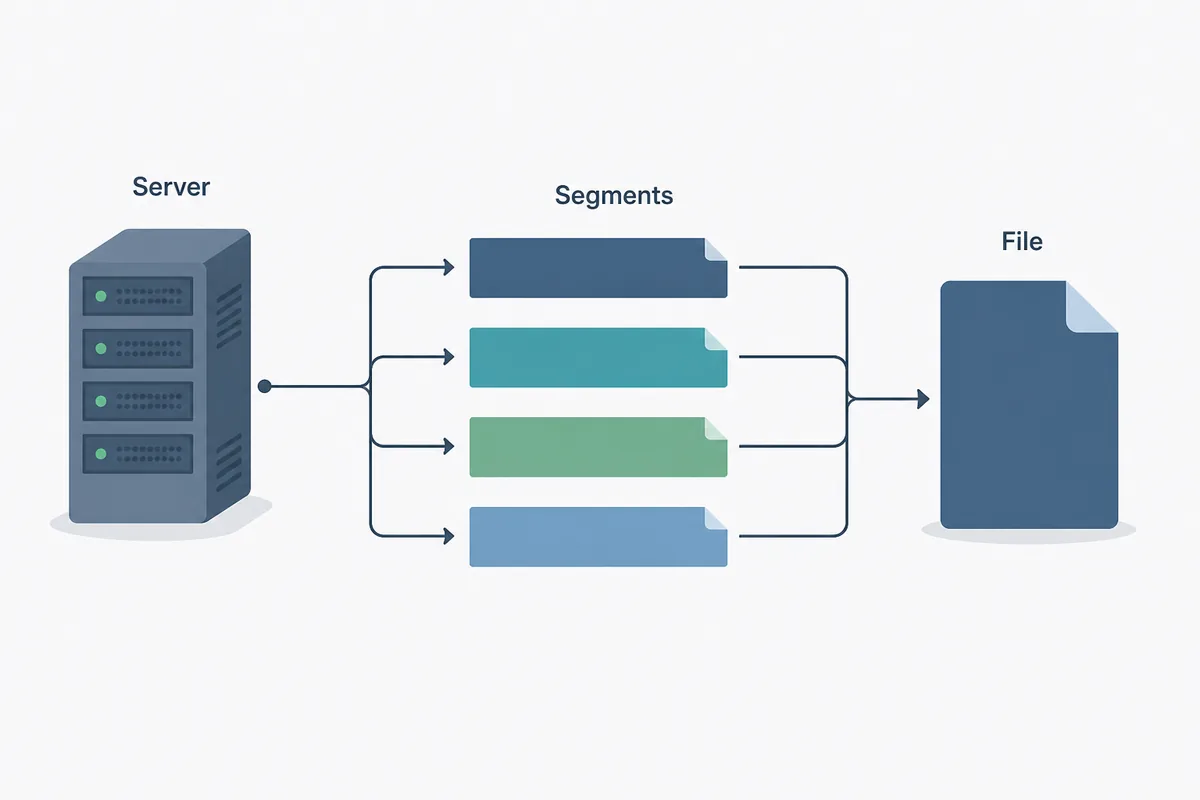
Fourth, speed claims need context. Segmentation can help when a server permits multiple connections, but it cannot turn a slow server, throttled account, or unstable Wi-Fi into a perfect connection. Speed tests should use the same file, same network, and same time window.
Fifth, video capture is often misunderstood. Protected media, encrypted streams, and account-bound playback can block download managers. If your search intent is really about YouTube or streaming capture, read a compatibility guide before blaming the app.
Sixth, source safety is different from product name recognition. Use official sources, avoid cracked builds, and be careful with mirrors that rename installers. A recognizable app name does not make a repackaged download trustworthy.
Seventh, support expectations are different. A free lightweight tool may be enough for basic use, while paid commercial software can make more sense when you need a mature Windows-centered workflow and are willing to maintain a license.
Speed comparisons only make sense when the same source permits segmented downloading. Server policy and network conditions can dominate the result.
When NDM Is the Better Choice
NDM is the better starting point if your goal is a free, compact download manager for ordinary direct files. It is especially practical when you want to test a desktop app quickly, keep setup simple, and use browser extensions only after the desktop workflow is confirmed.
It is also a sensible choice when you are comparing tools because one site failed. Before switching, test a normal file, verify that NDM is open, confirm the browser extension is enabled, and check whether the source link is stable. If that workflow succeeds, the failure may belong to one website rather than to NDM itself.
For safety, NDM should still be downloaded from the official source. This site verified the official Windows direct file and macOS direct file on July 31, 2026. The check found the same version boundary used across the site: Windows 1.4 and macOS 1.3, with no newer official desktop version found during the run.
When IDM Is the Better Choice
IDM is the better comparison point when you are a Windows user who specifically wants a commercial download manager and is comfortable evaluating a paid license. It may fit users who want established Windows browser integration, queue-oriented workflows, scheduler-style habits, and a product category that many Windows download-manager searches already recognize.
That does not mean every IDM search should become a new installation. If your only problem is that the browser extension did not pass a link, repair that setup first. If your only problem is protected media, neither NDM nor IDM should be treated as a guaranteed solution.
Use IDM's official website when evaluating the product. Do not use cracked builds, license-bypass pages, or download wrappers. For commercial software, unofficial installers add both security and licensing risk.
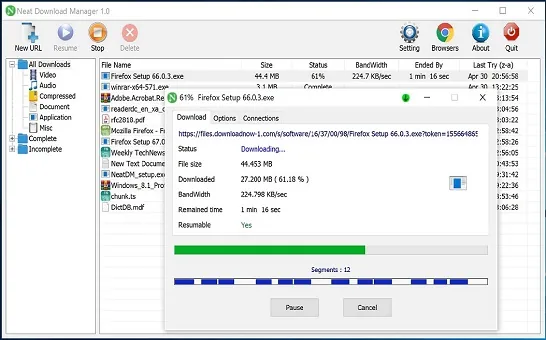
A compatible transfer should expose a clear file, progress state, and destination. Test this before deciding that you need to switch tools.
Troubleshooting Before You Compare
A fair Neat Download Manager vs IDM test starts with the same file. Use a normal direct file, the same network, and the same browser session where possible. Avoid using a login-only video or a page that generates temporary links as the first comparison.
If NDM does not catch the link, check whether the desktop app is open, the browser extension is enabled, and the browser is allowed to hand the link to the app. If the download starts but stops later, check server limits, disk space, antivirus prompts, and whether the file URL expires.
If both tools fail on the same source, the website is probably the limiting factor. In that case, switching apps may only move the same problem into a different interface.
Symptom
Likely cause
Best next step
Neither tool starts
The source may hide or protect the real file.
Test a normal direct file first.
NDM works, video page fails
The media source may be encrypted or temporary.
Use the YouTube compatibility guide.
Browser does not send link
Extension or desktop handoff issue.
Check extension status and app state.
Speed is not higher
Server, network, or connection limits dominate.
Compare the same file at the same time.
Installer source looks suspicious
Mirror, wrapper, crack, or renamed file.
Return to the official source.
Search Intent Notes: Why This Is a Separate Page
The broader alternatives page answers which tools can replace NDM in different workflows. This page answers a narrower comparison query: Neat Download Manager vs IDM. That difference matters because a user searching the two product names wants a direct verdict, not a long list of unrelated alternatives.
Similarweb supported that boundary directionally. The broad NDM seed returned phrase-match demand for NDM, NDM extension, NDM for PC, Mac, Android, YouTube, and questions about speed or merging. Those are already covered by existing pages or fit as FAQ/supporting sections. The comparison seed surfaced IDM alternative as a low-difficulty related term, but the existing alternatives page already owns the broad alternative-list intent. A focused two-product comparison avoids that cannibalization.
The information gain is practical: the page gives a direct verdict, a comparison table, a troubleshooting matrix, current NDM version freshness notes, and internal links to safety, alternatives, setup, and speed pages.
FAQ
Neat Download Manager vs IDM FAQ
Is Neat Download Manager better than IDM?
NDM is better when you want a free lightweight Windows or macOS downloader. IDM may be better when you want a commercial Windows-focused workflow and are comfortable with paid software.
Is IDM the same as Neat Download Manager?
No. IDM and NDM are separate products with different pricing, platform assumptions, and support models.
Can NDM or IDM download every video?
No. Protected, encrypted, login-only, or temporary media can block download managers. Test a normal direct file before judging either tool.
Should I switch from NDM to IDM if speed is slow?
Not immediately. Compare the same file on the same network first, because server limits and connection policy can matter more than the app.
Where should I download NDM before comparing it with IDM?
Use the official Neat Download Manager source for Windows or macOS and use browser store listings for extensions. Avoid mirrors, cracked builds, and unverified APKs.