How to Use a Half-Downloaded Neat Download Manager File in FDM
Sometimes, you can resume a half-downloaded NDM file in FDM, but only when the file and server remain compatible. Do not assume FDM can import an unfinished NDM task.
No official NDM-to-FDM task import is documented. The reliable fallback is to start a fresh, permitted FDM download and keep the NDM task until the finished file checks out.
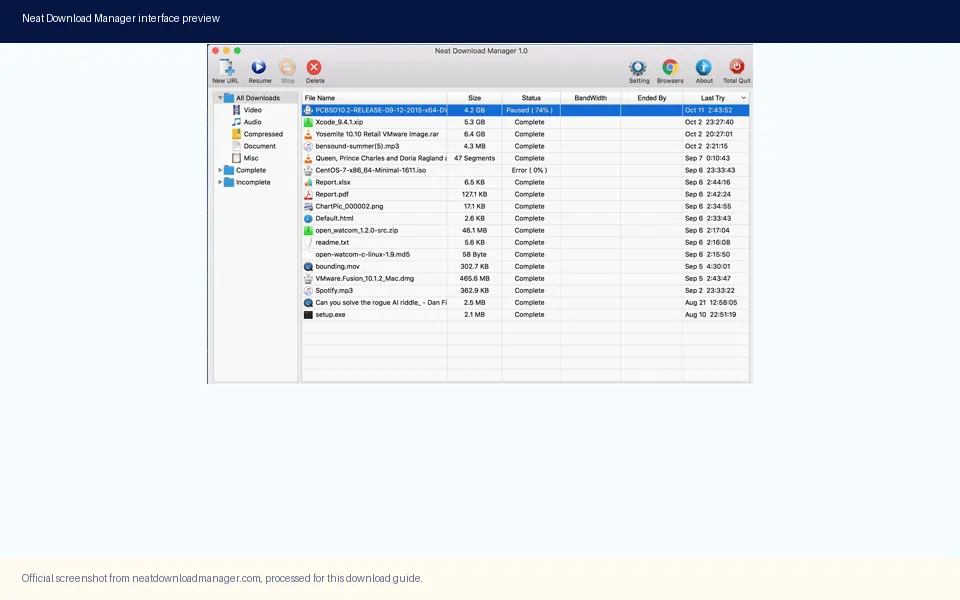
An official Neat Download Manager interface example. The developer page does not identify it as a current v1.4 screen, so use it to recognize the task list rather than as a promise of identical controls.
Can FDM continue a half-downloaded NDM file?
There is no universal one-click way to import an unfinished Neat Download Manager task into Free Download Manager (FDM). NDM documents pause and resume for downloads managed by NDM; FDM documents resume for tasks managed by FDM. Neither official guide describes transferring another app’s queue, segment map, validators, or temporary files into FDM. Treat the answer as possibly, after a compatibility check, not a guarantee.
For one ordinary HTTP or HTTPS file, a new manager may be able to continue from existing bytes if it can identify the exact same representation, accepts the existing partial file, and the server honors byte-range requests. These conditions are separate. A working URL alone does not prove that the file is unchanged, and a file with the right name does not prove that its bytes belong to the current download.
If FDM does not offer an explicit supported option to use an existing partial file, create a new task from a fresh authorized URL. Keep the original NDM task until the new download completes and you have checked the output. Avoid renaming, merging, or deleting NDM temporary data to try to force an import.
Why an NDM partial download may not be portable
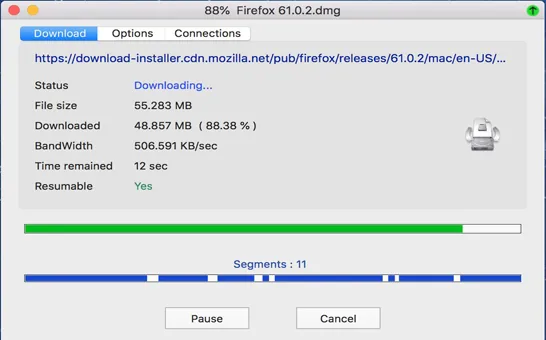
A download manager can keep more than the visible output file. NDM may split a supported download into segments and maintain task details needed to request, place, and join those pieces. The official NDM site describes dynamic segmentation and pause/resume in the app, but it does not publish a file format or migration procedure for another manager. A screenshot of several segments illustrates why task state matters; it does not establish that FDM can read that state.
At the HTTP level, a resume request asks for a byte range of a representation. The server can return the requested range, ignore it and send the full representation, or reject it. A validator such as an entity tag or modification date helps a client avoid joining bytes from a changed file. The IETF specification describes Range and If-Range behavior; it does not make two applications’ private task formats compatible.
This distinction matters most when a site rotates signed URLs, requires a login cookie, serves a changing export, or delivers adaptive video as many small segments. A session-only or protected source may work only in the original app or browser context. Use only a source you are allowed to download, and do not try to bypass access controls to recover a partial file.
Official NDM segmented-transfer example. It shows why an active task has more state than a single visible file; it is not evidence of an FDM import feature.
Compatibility check: reuse the partial file or start again?
Use this decision table before touching the original task. Try reuse only through a clearly supported FDM option; do not manually place arbitrary temporary files in FDM’s data folder.
Source or task
What can change
Safer choice
One direct HTTP/HTTPS file
URL, file identity, byte ranges, and FDM support must all match
Reuse only if FDM explicitly accepts the partial file; otherwise start a fresh task
Expired or signed URL
The token, permissions, or response may have changed
Get a fresh authorized URL; restart if FDM cannot validate the same file
HLS or other segmented media
Many segments and a merge step are involved
Restart through a supported workflow; do not combine NDM segments by hand
Login-only, protected, or one-time link
Cookies, authorization, or site rules may be required
Do not bypass restrictions; use the source site’s supported method
Safe 5-step handoff from NDM to FDM
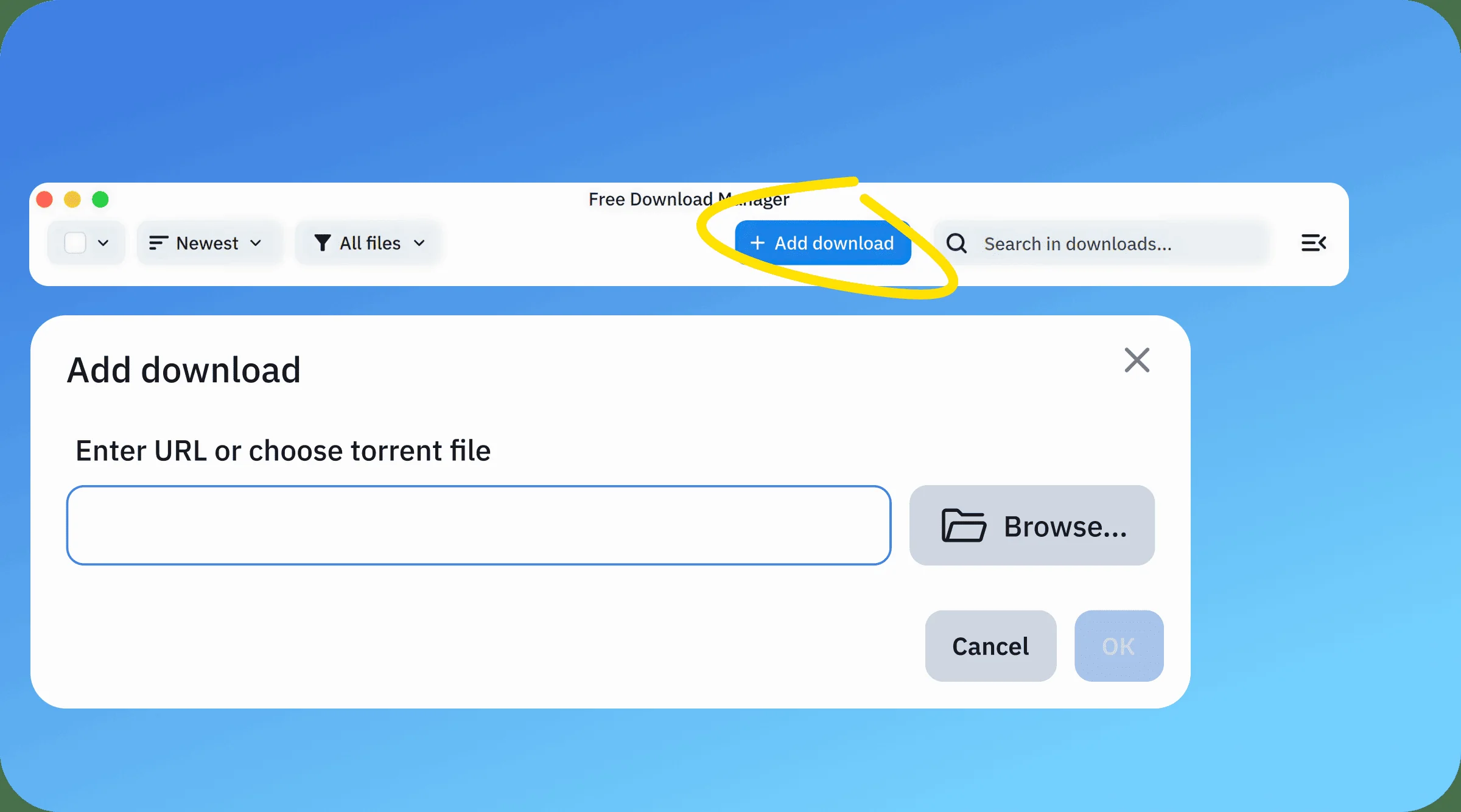
Use this process when you choose to move to FDM. It begins with the source URL, not with copying NDM’s hidden working files. The official FDM screenshot below shows adding a new URL; it is not a partial-file import screen.
FDM’s official Add download screen demonstrates creating a task from a URL. It does not show importing an NDM partial task. Source: Free Download Manager.
Pause the NDM task in the app and leave it in place. Do not move its temporary directory, rename segment files, or clear the task history while deciding.
Return to the publisher or source page and obtain a current direct URL that you are permitted to use. Do not reuse a short-lived signed URL from a log if the site expects a fresh browser session.
If the source provides a file size, checksum, or stable version identifier, record it. Confirm that the object is still the same file. A matching filename alone is insufficient.
In FDM, create a new download using its supported Add Download flow. Only choose an option to continue an existing partial file if the installed FDM version clearly provides that supported choice and accepts the file without manual data-folder edits.
Let the task finish. Compare the final size with the publisher’s value and verify a published checksum when available. Open or scan the file using your usual trusted process before deleting the NDM task or partial data.
When restarting is the safer answer
Restart in FDM when you cannot prove that the source response is unchanged, when FDM starts from byte zero, or when the app reports that the existing data is invalid. Downloading the same bytes again costs time, but joining mismatched bytes can silently create a corrupt archive or installer that looks complete.
Restart from the source site instead of trying to reuse a partial file when the URL contains a temporary token, the task needs sign-in, the site serves one-time links, or the content is an HLS stream assembled from separate segments. If the publisher offers a new link or a documented refresh action, use that path. Do not use another manager to evade a site’s access rules.
The server no longer supports byte ranges or sends a different file.
FDM cannot explicitly select or validate the existing partial file.
The NDM job consists of many media segments or private task data.
The source requires browser cookies, authentication, or a single-use URL.
Verify the finished file before removing the NDM task
Treat 100% as a transfer state, not proof that the file is usable. Check that the filename and extension match the publisher’s file, compare the size when published, and use the publisher’s checksum if one exists. A checksum mismatch means the output should not be trusted or installed; obtain a clean copy from the authorized source.
For a large archive, installer, or disk image, keep the original NDM data until verification is complete and the replacement opens as expected. If there is no checksum, a correct size and successful open are useful checks but do not prove authenticity. For software installers, use the developer’s official source and your normal security checks.
If the FDM task fails at resume, note whether the source returns a full response, rejects the request, or requires you to sign in again. That evidence helps decide whether a fresh task is enough or the original source workflow is required. Avoid repeated retries against a protected or one-time endpoint.
NDM version-source check for this guide
On 2 October 2026, the official Neat Download Manager page still listed Windows v1.4 and macOS v1.3. The page rounds the setup file to 900 KB and the DMG to 1.4 MB; direct response checks measured 917,340 bytes for NeatDM_setup.exe and 1,468,544 bytes for NeatDMInstaller.dmg. The developer did not publish a release date or change note for these listings.
These facts did not change the existing download buttons or compatibility notes on this site. This article does not offer an installer and does not label either version latest. Check the developer’s page when you need current platform or file details.
Common questions
NDM to FDM resume FAQ
Can Free Download Manager continue an NDM partial download?
There is no official NDM-to-FDM task import procedure. FDM may reuse a partial only if its supported workflow accepts it and the source still serves the same representation with resume support. Otherwise create a fresh FDM task and retain the NDM task until the new file is verified.
Can I copy NDM temporary or segment files into FDM?
Do not copy them into FDM’s private data folders. NDM can manage segmented task state, and no official guide says FDM can interpret those files. Use an explicit supported import choice if one is shown; otherwise restart from an authorized source URL.
Does a direct URL guarantee that resuming will work?
No. The URL must still identify the same file, the server must honor a byte-range request, and FDM must support the existing partial data. Signed URLs can expire or represent a new session.
Why does FDM start the NDM file from zero?
The server may not support ranges, the resource may have changed, the URL may have expired, or FDM may not recognize NDM’s partial file. Starting over from a current source URL is safer than joining unverified pieces.
Can I move a half-downloaded YouTube or HLS video to FDM?
Do not assume so. NDM may handle HLS as multiple segments and merge them at the end. A segment set is different from one ordinary file. Use only the source site’s permitted workflow and do not bypass encryption or access restrictions.
When can I delete the old NDM task?
Wait until FDM completes and you have checked the finished file against the publisher’s size or checksum when available. If the file is incomplete or fails verification, keep the original task while recovering from the authorized source.
Product and protocol references
Sources checked
Official Neat Download Manager page - Lists NDM platforms, segmentation, and its own pause/resume behavior; no cross-manager import procedure is documented.