Neat Download Manager Errors: Fix 403, Encoding, and Socket Problems
Start with the exact error text instead of reinstalling immediately. A 403 usually comes from the server or an expired link, unsupported content-encoding points to a response mismatch, and a socket error often means the connection or stream was interrupted.
This guide separates server, network, browser handoff, and local-app problems so you can run one clean direct-file test before changing settings or downloading a replacement installer.
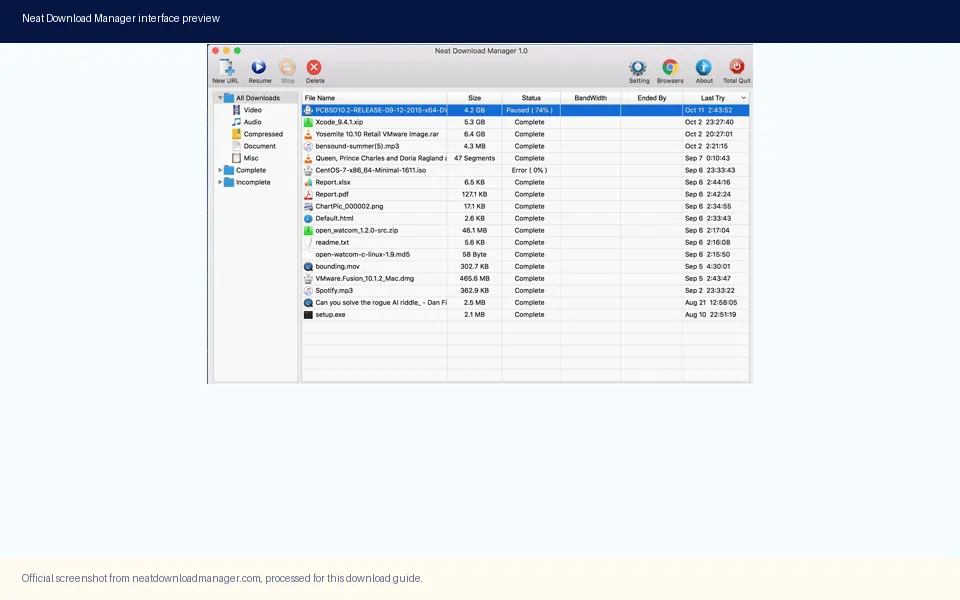
Official product screenshot. Use a known direct file to separate an NDM error from a website or link problem.
Official source and file facts checked on August 15, 2026.
The Short Answer: Classify the Error Before Reinstalling
The fastest way to fix a Neat Download Manager error is to copy the full message and identify which layer produced it. If the message contains HTTP/1.1 403 Forbidden, the server refused the request. If it says unsupported content-encoding br, the response arrived with a compression or decoding combination that the client could not use. If it mentions a socket, the connection was interrupted while data was moving. Those cases do not point to the same fix.
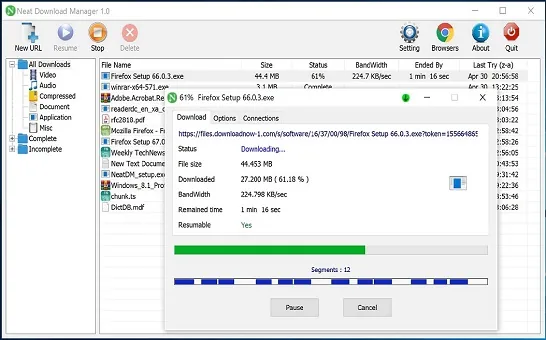
Run a known direct-file test before changing connection counts, browser permissions, or the installer. Choose a file from a source you control or a public project that clearly publishes a normal download URL. Open the URL in a browser first, then add the same URL to NDM. If the browser also fails, the source or network is the main suspect. If the browser succeeds but NDM fails with the same URL, record the exact response and continue with the matching section below.
This boundary matters because a browser extension problem is different from a desktop download error. The extension only hands a link to the app; it cannot turn a protected, expired, login-only, or adaptive media URL into a stable file. For capture issues, use the separate extension troubleshooting guide. This page is for errors that appear when NDM requests, transfers, or writes a download.
Official product screenshot. A repeatable direct-file transfer is a better baseline than a protected video or temporary web link.
Neat Download Manager Error Map: Message, Cause, First Action
Use the message itself as the first routing signal. The same download can pass through the browser, a server, a network connection, and the local app, so an error shown by NDM does not automatically mean that NDM is broken. Start with the row that matches the visible wording, then change only one variable during the next test.
The volume numbers behind this guide also point to specific wording rather than one generic failure. Similarweb keyword data showed low-difficulty searches for unsupported content-encoding, HTTP 403, a Reddit entry error, and video socket errors. They are related, but they describe different user decisions, so they belong in one troubleshooting guide as separate branches rather than four thin pages.
Visible message
Likely layer
First action
unsupported content-encoding br
Server response or decoding mismatch
Test the same URL in a browser and prefer a normal direct file.
HTTP/1.1 403 Forbidden
Permission, session, referrer, or expired URL
Get a fresh permitted URL and do not try to bypass access controls.
error when entering Reddit
Login, page type, or protected media
Test a public direct file; do not treat a post page as the media file.
video download error on socket
Network reset or unstable stream
Retry a permitted direct source and compare with another network.
Cannot find or open NDM
Local process, install, or permission
Launch the desktop app directly and verify the official installer source.
Download stops at merge
Segments, disk write, or final assembly
Check free space and keep the temporary segments until the test is complete.
Fix Error: Unsupported Content-Encoding br
The phrase unsupported content-encoding br refers to the response encoding advertised by a server. br is Brotli compression. In a healthy request, the client and server agree on the encoding and the response can be decoded. When a site, proxy, CDN rule, or intermediate connection sends an unexpected response, NDM may show the encoding message even though the file itself is valid.
First copy the original URL and open it in a browser. If the browser downloads a file, use the final file URL rather than a page URL, tracking redirect, or temporary share link. If the browser displays an error too, refresh the page or request a new link from the source owner. A different permitted source is more useful than repeatedly adding the same failing URL.
Do not disable security software blindly, edit random compression settings, or attempt to bypass a server's response policy. Those actions can hide the real cause and make provenance harder to verify. The safe test is controlled: same URL in the browser, one fresh direct URL in NDM, then a second reliable source if the first source still fails.
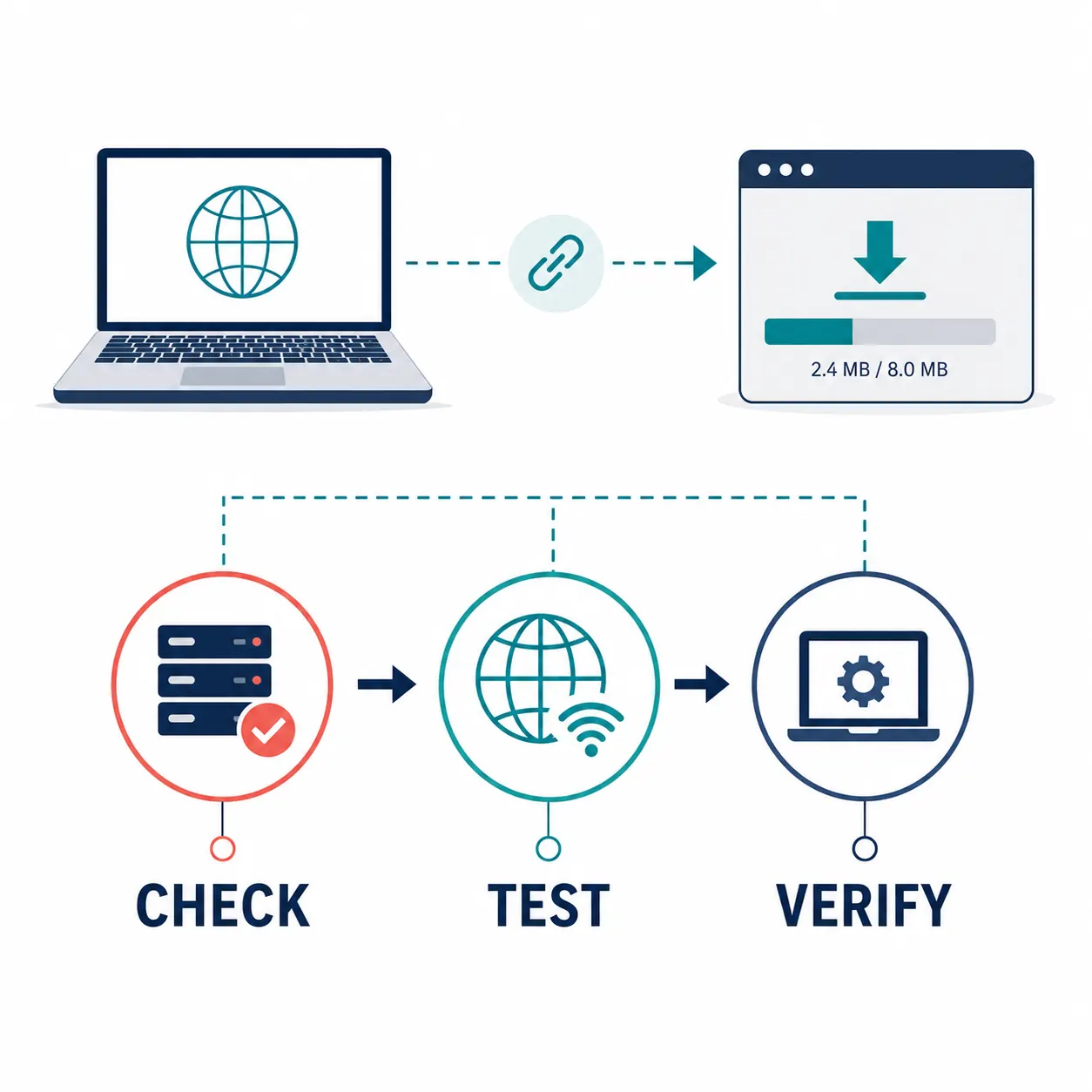
AI-generated editorial explanatory diagram, not a real NDM screenshot. Check the source, test the connection, then verify the local app.
Fix Neat Download Manager HTTP/1.1 403 Forbidden
HTTP 403 means the server understood the request but refused to fulfill it. Common reasons include an expired signed URL, a missing login session, a required referrer, a region or account rule, a hotlink restriction, or a source that does not allow external download clients. The error is a permission decision at the source; it is not evidence by itself that the desktop app is unsafe or damaged.
Create a fresh, permitted request from the source. Sign in through the official page when the source requires an account, copy the download link again, and test it promptly before the link expires. If the site documents a desktop-download button, use that button instead of extracting a temporary media URL from a page. For a public file, compare the same URL in a browser and NDM without changing headers or trying to impersonate another client.
A 403 is not a reason to download a random mirror or cracked installer. If access is intentionally restricted, respect the site's terms and choose an official offline-download option. A new NDM installation cannot grant permission to a server that has denied the request.
Refresh the source page and copy a new link.
Confirm the account, region, and permission required by the source.
Test a normal public file to check whether NDM itself can download.
Do not bypass access controls, change a signed URL, or use an unverified mirror.
Why Reddit and Video Links Can Fail
A search for neat download manager error when entering Reddit often describes a page-navigation problem, not a broken file transfer. A Reddit post URL is an HTML page with login, consent, scripts, redirects, and possibly several media variants. NDM may receive the page address while the actual image or video is delivered through a separate, temporary, or protected request.
The same distinction explains a video download error on socket. A stream can change representations, expire a segment URL, require a session cookie, or close a connection while NDM is reading. If the media is protected or the site does not provide a stable permitted file, no connection-count setting can make the transfer reliable. Use the platform's own download or export feature when one exists, and keep the guide focused on content you are allowed to save.
To isolate the issue, test a small public file, then a large public file, then the target site. If only the target page fails, the source format or permission is the likely boundary. If every source fails, move to the network and local-app checks instead of repeatedly reinstalling the extension.
A page URL is not necessarily the direct image, video, or archive URL.
Login-only, expiring, adaptive, and encrypted media may not expose a stable file.
Use official platform controls for content that requires an account or has download restrictions.
Do not describe a successful browser preview as proof that an external downloader is supported.
A Six-Step Neat Download Manager Error Troubleshooting Workflow
The following order keeps the test small and reversible. Write down the URL type, exact error, time, and whether the browser could fetch the same resource. That record tells you whether a later change actually helped or merely coincided with an expired link becoming fresh.
Copy the full NDM error message, including the HTTP status or socket wording.
Test the same URL in a browser and note whether it downloads a file, opens a page, or redirects.
Try one known public direct file in NDM with default settings and no bandwidth limit.
If only one site fails, request a fresh permitted URL and check its login, region, and expiry rules.
If several sites fail, restart NDM, check the network or VPN, confirm free disk space, and inspect security-software logs.
Only after the source and network tests pass should you repair or reinstall NDM from the official Windows or macOS page.
When the Error Is a Product Install Problem
If NDM cannot open at all, disappears immediately, or fails on every direct file, the problem may be local rather than server-side. Launch the desktop application from its installed shortcut, confirm that a previous NDM process is not stuck, and check whether the operating system or security tool reported a blocked executable. Do not replace the installer until you have recorded the source and version you used.
On the August 15, 2026 check, the official site exposed Windows ver 1.4 and macOS ver 1.3. The official NeatDM_setup.exe returned HTTP 200 with 917,340 bytes, and NeatDMInstaller.dmg returned HTTP 200 with 1,468,544 bytes. These are a dated verification snapshot, not a guarantee that a later file will be identical. Recheck the official page before reinstalling.
A clean reinstall can fix a damaged local installation, but it cannot fix a 403 response, an expired URL, a protected stream, or a server encoding mismatch. Keep those cases separate so a reinstall does not erase useful evidence or encourage an unverified mirror download.
Platform
Checked source fact
Interpretation
Windows
ver 1.4; NeatDM_setup.exe; 917,340 bytes
Use the official page and recheck the file before reinstalling.
macOS
ver 1.3; NeatDMInstaller.dmg; 1,468,544 bytes
Use the official page and review the OS warning in context.
Browser extension
Separate store handoff
Install the desktop app first; use the extension guide for capture failures.
Third-party mirror
Not part of the verified source path
Do not use it to solve an NDM error without independent provenance checks.
What This Guide Cannot Fix
Some failures are outside the download manager's control. A server may reject external clients, an account may lack permission, a URL may expire, or a media service may deliver encrypted or adaptive streams instead of a stable file. These are compatibility or access boundaries, not settings that can be solved by increasing connections.
If a file is important, use the publisher's official download path, keep the original page and timestamp, and verify the final file through the source's own instructions. For safety questions, use the NDM safety guide. For browser capture questions, use the extension troubleshooting guide. For slow but successful downloads, use the speed guide.
No troubleshooting guide can authorize a restricted download.
No reinstall can turn an HTML page into a stable direct file.
No speed setting can remove an ISP, VPN, server, or disk bottleneck.
No matching filename proves that a mirror or GitHub asset is official.
Bottom Line for Neat Download Manager Errors
Treat the exact message as a routing clue. Use the browser-versus-NDM comparison for unsupported content-encoding, use a fresh permitted URL for HTTP 403, classify Reddit and video failures as page or stream compatibility until a direct file is proven, and reserve reinstalling for a local-app failure that also appears on a known direct-file test.
This approach is slower than clicking a generic repair button once, but it produces a useful answer: whether the source, network, browser handoff, disk, or application needs attention. It also keeps the download path tied to the official NDM website instead of turning an error into a reason to use an unverified package.
Common error questions
Neat Download Manager Error FAQ
How do I fix unsupported content-encoding br in Neat Download Manager?
Test the same URL in a browser, request a fresh direct file if needed, and compare with a second reliable source. Do not disable security controls or keep retrying an expired redirect.
Why does Neat Download Manager show HTTP/1.1 403 Forbidden?
The server refused the request, often because of an expired URL, missing session, permission rule, referrer requirement, or external-client restriction. Get a fresh permitted link instead of bypassing the server.
Why does Neat Download Manager show an error when entering Reddit?
A Reddit post URL is an HTML page, not necessarily the direct media file. Login, redirects, temporary media URLs, and protected content can prevent a stable handoff. Test a public direct file to separate the source from NDM.
What does a Neat Download Manager video download error on socket mean?
The connection or stream was interrupted while data was being read. Retry a permitted direct source, compare another network, and avoid treating an adaptive or encrypted stream as an ordinary file.
Should I reinstall NDM when one download fails?
Usually no. Reinstall only after NDM fails on a known public direct file and the local app shows a launch or installation problem. A 403, expired link, protected media URL, or server encoding mismatch needs a source-specific check.
Is a Neat Download Manager extension problem the same as a desktop error?
No. The extension hands a browser link to the desktop app, while the desktop app handles the request and file. Use the extension troubleshooting page for capture failures and this page for transfer or response errors.
What Neat Download Manager version and download files were checked?
On August 15, 2026, the official page showed Windows ver 1.4 and macOS ver 1.3. NeatDM_setup.exe returned HTTP 200 at 917,340 bytes and NeatDMInstaller.dmg returned HTTP 200 at 1,468,544 bytes. Recheck the official page before a future reinstall.